Support Forum

Displaying ads

EE Elsa Elsa
Elsa Elsa
Member
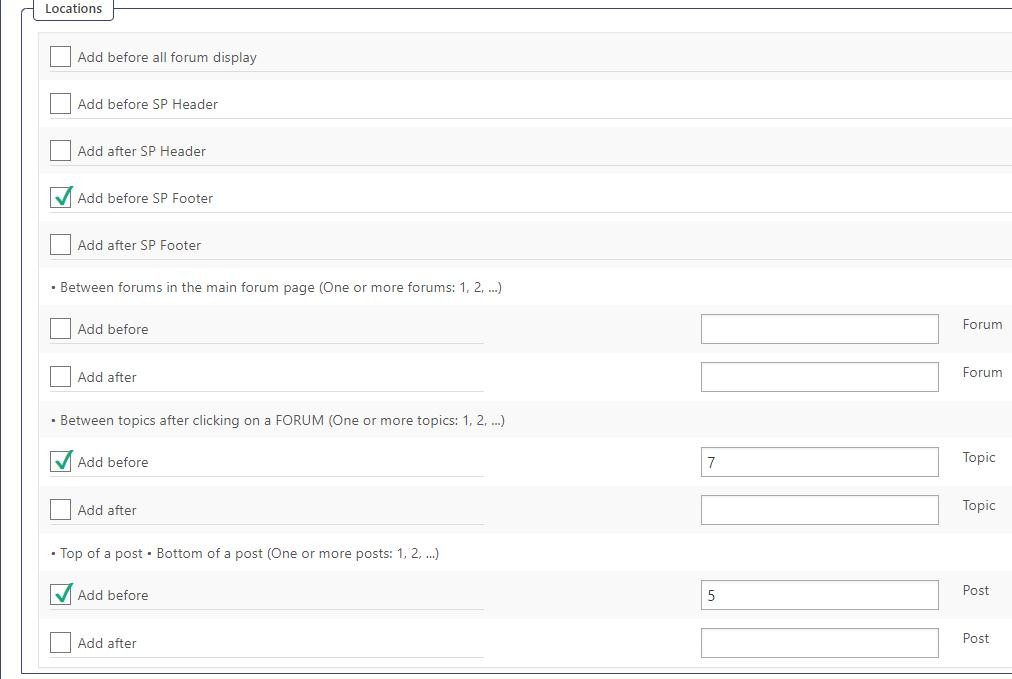
simple-press-ads.jpg

Hi everyone!

I really appreciate the new ads plugin. It’s marvelous! I am testing the settings. The display below above and footer and between the forum topics, works as expected.

I have not been able to get ads to display between posts, though. I wonder it this might be because I use threading?


Forum – https://www.elsaelsa.com/forum/

Thanks!

10 Answers

New Answer

SS SP Community Support
SP Community Support
Admin

Hi:

I just tested this with a threaded topic and it works for me so there might be something else going on.  Is the AD itself turned on? (I.e.: The ACTIVE box checked for the Ad and the Adset?)  Also, is there any date restrictions or quantity restrictions in place?

Thanks.

EE Elsa Elsa
Elsa Elsa
Member

Yes, the ad is active and currently displaying in two of the places designated but not between the forum posts (in-thread)

ID Name Hits Max Views Is Active
1 testing 2079 Yes

You can verify this by visiting the forum.


Thanks!

SS SP Community Support
SP Community Support
Admin

Hi:

I just looked at the forum but don’t see any ads at all – not at the top, bottom or between the posts.  But then again I don’t know what the ad should look like.  Is it possible that the ads have been restricted to a particular user group of users?  Maybe just post a complete set of screenshots for the adsets and ads configuration (you might have to post multiple screen shots since some of the screens are quite long).  Maybe we’ll see something in there that might explain what’s going on.

Also, can you clear your error log in FORUM->TOOLBOX-ERRORLOG and see if any errors appears there after you try to view the ads again.  If not, then maybe check the WordPress debug.log file to see if anything is appearing in there as well.

Thanks.

EE Elsa Elsa
Elsa Elsa
Member

Trying again…

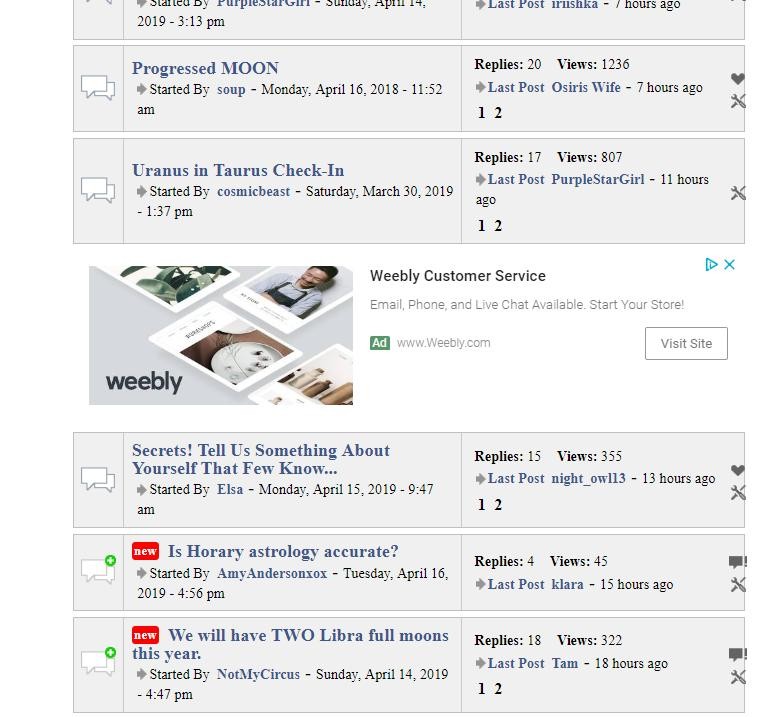
ad-showing.jpg

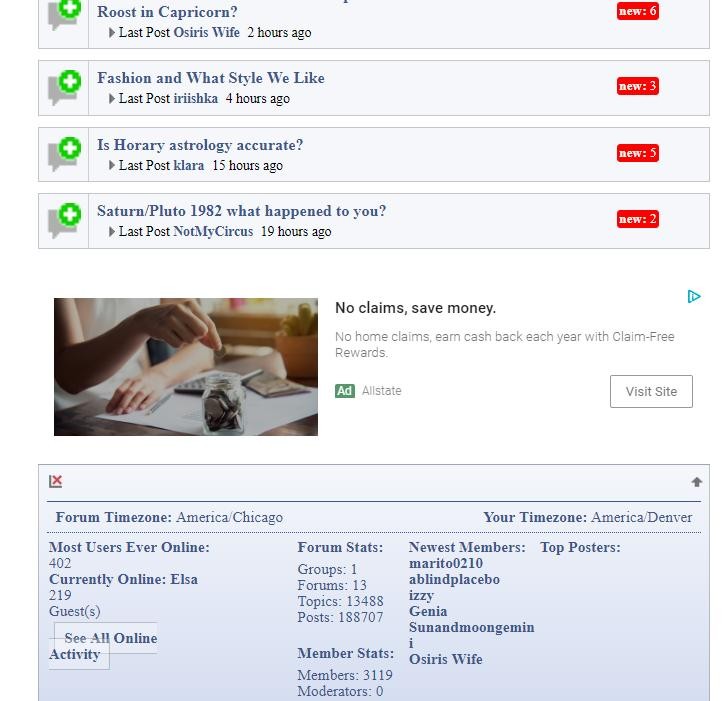
Footer

ads-on-site-1.jpg

Showing in specific forum, as specified in settings.

SS SP Community Support
SP Community Support
Admin

It looks like those ads are being generated via a script.  Can you try just a plain text ad to see if those appear in between the forum posts?  Maybe there’s something about the script that makes the ads not appear in between the posts.

Also, check your browser console to see if there are any errors from the script while you’re viewing a thread.

Thanks.

EE Elsa Elsa
Elsa Elsa
Member

I do have errors in the sp log. I also have security notices. 🙁

SS SP Community Support
SP Community Support
Admin

Hi:

If there’s anything in there that looks relevant to this issue can you post a copy of the error here?  You probably shouldn’t post the whole log unless you post a link to a text file located somewhere else (like dropbox or onedrive or googledrive or other sharing service).  If you paste the whole log here you’ll end up with a very long message and make scrolling this thread highly inconvenient. So either post a link to a text file or paste in any error mesages that seems like it might be relevant.

And also try using a text ad as well instead of a script – lets see if the ads appear in between the posts.

Thanks.

EE Elsa Elsa
Elsa Elsa
Member
flat-ad.jpg

This is a new ad.. a pic with a link. It showed up below the footer, but again, it did not show up between the posts, when I did specify that in the settings.  


Errors…  https://www.elsaelsa.com/wp-content/uploads/2019/04/simplepresserrors.txt

SS SP Community Support
SP Community Support
Admin

Hi:

I am fresh out of ideas on this.  I can’t duplicate the issue on our test sites.  For now I guess we’ll have to wait to see if other users experience the issue and if so, maybe that might establish a pattern.  Or if a Platinum license user experiences the issue we’ll be able to log in and do some hands-on troubleshooting on their site that would provide more information.  But I’m out of ideas as to what could be the issue on your site.

Wish I had better news on this for you.  Once other users gain more experience with the module more you might get some other ideas from them as well on things to check.