“Small image uploads work fine. On larger images:
2/24/14 Now running:
WordPress V 3.8.1
Simple-Press v 5.4.1
BuddyPress v 1.9.2
WordPress V 3.8.1
2/24/14 Now running:
WordPress V 3.8.1
Simple-Press v 5.4.1
BuddyPress v 1.9.2
upgrade of what??? are you referring to simple press? remember, the image upload is not part of core simple press… so the functionality is all contained in the file uploader plugin for sp…
are you using the latest version of it?
is this in one particular browser or all? asking because for a while some time ago, IE had a problem with the 0 width and height… also, jetpack plugin was corrupting it once too…
Hi, thank you for your response.
I hired a developer to do the simple-press and buddypress configuration for me back in October 2013 with a woo commerce / sensei setup. EVERYTHING WAS WORKING GREAT, then, I went in Jan and upgraded some of the plugins and WordPress version
It was after that point that in any major browser (googlechrome, safari, firefox, explorer) we tried, mac or pc we experienced the issue as described. I attached a capture of the current update alerts and all current version numbers for simple-press, wordpress etc because I’m wondering if during the update process it caused the issue we’re having.
Here’s an example…
Uploading a small image, after I click “start upload” it appears inline so I can group with text just like this: 
When we try to upload a bigger image (example 733K) it doesn’t drop into the body like above. It’s not till I “submit my reply” that it shows at the bottom.
so can you tell me what version of the sp file uploader plugin you are using?
We currently have Simple-Press Version 5.4.1
I don’t see a plugin specifically called “simple-press file uploader”
Sorry, I’m not the one that did this part of the setup so if I’m looking in the wrong place, just let me know and I can go back to the developer to ask.
Forum admin > Plugi9ns > Available Plugins. The entry is ‘File Uploader with Plupload‘ and the version number is in the description.
I am getting same issue Version 3.1
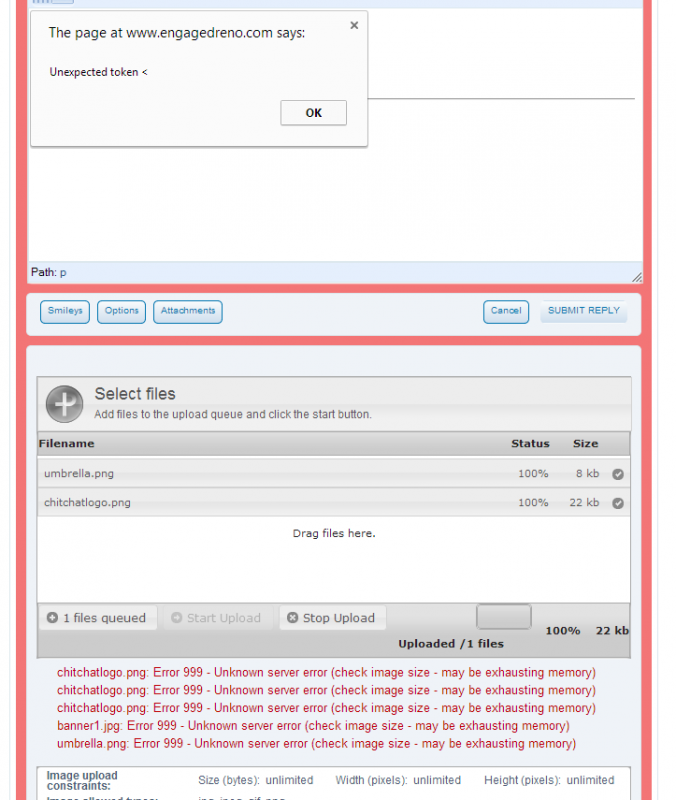
Pop up says “Unexpected Token <” and it has that less than sign.
and under the Uploader it says:
“imageName.png: Error 999 – Unknown server error (check image size – may be exhausting memory)”
Open PHP tag?
Lots of room on the hosting account. Hmm?
screen shot attached
Jessica, that is not the same issue… yours is indicating the server never even returned a status or error… it just died… anything in the server error log…
August, what is your php settings for max upload size?
My apologies, I should have started my own thread…
Nothing shows in the server’s error log
it happens…
these are tough to track since the server doesnt respond with an error… it just stops responding… do you have to link to site so we can check for js issues?
would also help if you could check with the browser console open and see if any js errors pop up along the upload way…
August, I think I have figured out what is going on with the 0 width and height stuff… I was able to replicate it for existing images and few other cases though size didnt seem to matter…
none the less, I hope to push out an update to the file uploader plugin this weekend and we can see if it helps your situation since your upload options are undoubtedly different than mine…