
Support Forum

Broken image editing in WordPress when SimplePress is activated

SS Sebastian Schimpf
Sebastian Schimpf
Member

Hi there, 

for some reason I can’t edit images within WordPress since I installed SimplePress. 
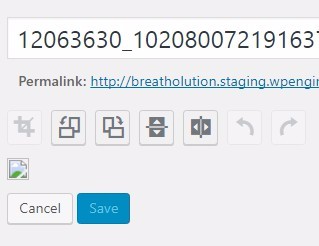
screenshot_528.jpg

You see this little broken image icon?

In the moment I disable SP, the image editing works again. 
It is the same thing on our live website as well as when I test locally. I have tried and uninstalled all plugins but SP and it is still the same issue. 
I have also tried to deactivate all SP plugins to find out if it is one of them causing the issue. It’s not. I also switched to the default WP theme and it did not help. 
Any idea what is going on?

16 Answers

New Answer

YS Yellow Swordfish
Yellow Swordfish
Member

I am unable to replicate such a problem on either our live site here or my own local development sites. Are you seeing any errors reported in the php error log on your server? Or javascript errors in the web browser console?

SS Sebastian Schimpf
Sebastian Schimpf
Member

Unfortunately no error, neither PHP nor JS. 
Very weird! I have no clue what to do. 

I also tried a different browser and it’s the same issue there. 

SS Sebastian Schimpf
Sebastian Schimpf
Member

After some more testing I saw some errors but I am not experienced enough to see if there is a connection. Here is a screenshot. 

screenshot_529.jpg
YS Yellow Swordfish
Yellow Swordfish
Member

The first is in something that seems to be called ‘MutationObserver’. Does that mean anything to you? That seems to have caused the following which is a 500 server error and could, perhaps, be the reason the image was not fetched…

SS Sebastian Schimpf
Sebastian Schimpf
Member

Thank you Andy!

The “Mutation Observer” thing does not ring a bell and it seems so random. 
I am wondering what I can do … 
I think I will do some more testing and keep you posted if anything shows up that will give us a hint about the issue. It’s just so strange that it disappears in the moment I deactivate SP. It’s confusing. 

YS Yellow Swordfish
Yellow Swordfish
Member

Well – this will explain what it is but why you have it installed and active I can’t help with of course. Almost certainly a WordPress plugin I should imagine and it might just be that it needs an update to the script(s).

It would be useful to at least either find this is the problem or discount it before we can really go any further. These one-off issues we can not replicate are most usually a plugin conflict of some sort.

SS Sebastian Schimpf
Sebastian Schimpf
Member

I have all plugins disabled except SP and I am using another browser to make sure it is not a browser issue. I have even taken all custom code out of my functions.php and the problem still persists. 

Internet Explorer shows this:
DOM7009: Unable to decode image at URL: ‘http://breatholution.staging.wpengine.com/wp-admin/admin-ajax.php?action=imgedit-preview&_ajax_nonce=0813c557e3&postid=2121&rand=15901’.

Any idea why?

SS Sebastian Schimpf
Sebastian Schimpf
Member

While working with the WP Engine support to try to find a solution, the guy told me that when checking the database he get on error:

While checking out the database I kept receiving errors for that plugin Notice: Undefined index: QUERY_STRING in /nas/content/live/breatholution/wp-content/plugins/simple-press/sp-startup/site/sp-site-support-functions.php on line 179
Notice: Undefined index: QUERY_STRING in /nas/content/live/breatholution/wp-content/plugins/simple-press/sp-startup/site/sp-site-support-functions.php on line 185

Could this be something?

I have 0 ideas how to approach this. The support of WPE could not help and the issue only shows up when I activate SimplePress.  … even when it is the only active plugin and no custom code is in the functions.php. 


Edit: 
I even switched to the default WP theme and with 0 plugins active, the issue still persists. 
Are you sure this is not just something SP is causing???

MP Mr Papa
Mr Papa
Member

thats odd… why would $_SERVER[‘QUERY_STRING’] generate that notice on the server??  odd and possibly some weird server configuration…  but believe that is a harmless notices… we do clean up when they show up though…

what version of internet explorer??

wp engine, I believe, also does some caching…  is that active?

SS Sebastian Schimpf
Sebastian Schimpf
Member

It is IE 11 but I have the same issue in Chrome.

MP Mr Papa
Mr Papa
Member

may want to check back to my post as I edited it while you were posting…

okay, WP (and thusly SP) have dropped support for any IE before 11… so should be fine…

to the point of SP causing it… who knows… certainly possible..  but this is a one off report only affecting you…  no one else has reported similar and we cannot replicate… so if SP issue, its still down to a local issue with you and your server, so we will need to continue poking on information for what might be unique to you…

SS Sebastian Schimpf
Sebastian Schimpf
Member

They do caching and it is active. 

Should I ask them to deactivate caching for /wp-admin/ … not sure if that is even an option. 

SS Sebastian Schimpf
Sebastian Schimpf
Member

Please keep poking because I actually do need a solution for this. 
My client wants to edit images within WordPress and it will be very useful if he can. 

YS Yellow Swordfish
Yellow Swordfish
Member

Do the wpEngine folks know anything about the use of MutationObserver? As I said above it is causing an error which has the possibility of causing the following 500 error code so I believe it still needs tracking don and removing from the equation.
