

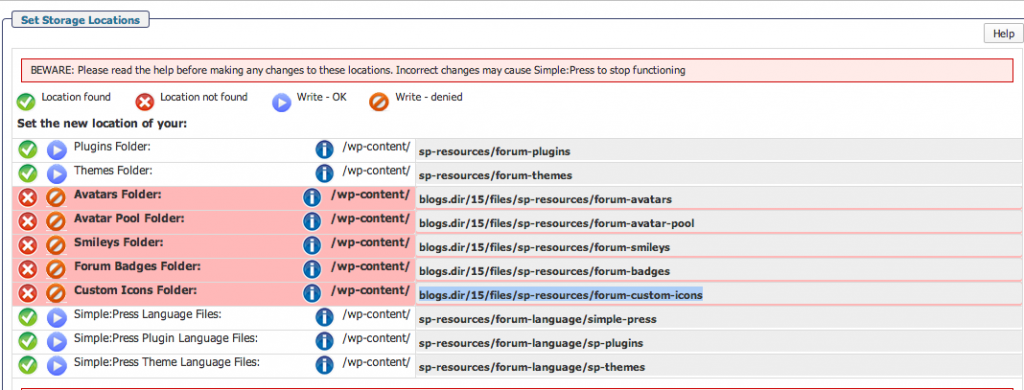
I’m attaching a screenshot of what I see when I first go to the Forum Admin page after installing the forum on a site.
Notice the errors — and how the errors relate to folders that weren’t able to be created within the blogs.dir file structure (which no longer exists in the current WP version if I’m not mistaken).
What is the correct procedure to resolve these errors?


 new multisite by default does not use blogs.dir… but any existing multisite that had it still uses it… and in quick testing with new install, there is no issue if it gets created and used… its just storage…