I routinely embed Vimeo videos in my forum, and the embed settings allow for full screen viewing. However, that option doesn’t show up when embedded in the forum.
It does in regular posts using WP….
Any ideas??
Rob


I routinely embed Vimeo videos in my forum, and the embed settings allow for full screen viewing. However, that option doesn’t show up when embedded in the forum.
It does in regular posts using WP….
Any ideas??
Rob

Tried to embed here, got:
Unable to save
This post contains an iframe which are disallowed
If it helps, here’s the link to the blog post:
http://photosuccess.com/2017/02/08/light-painting-with-john-hartman/
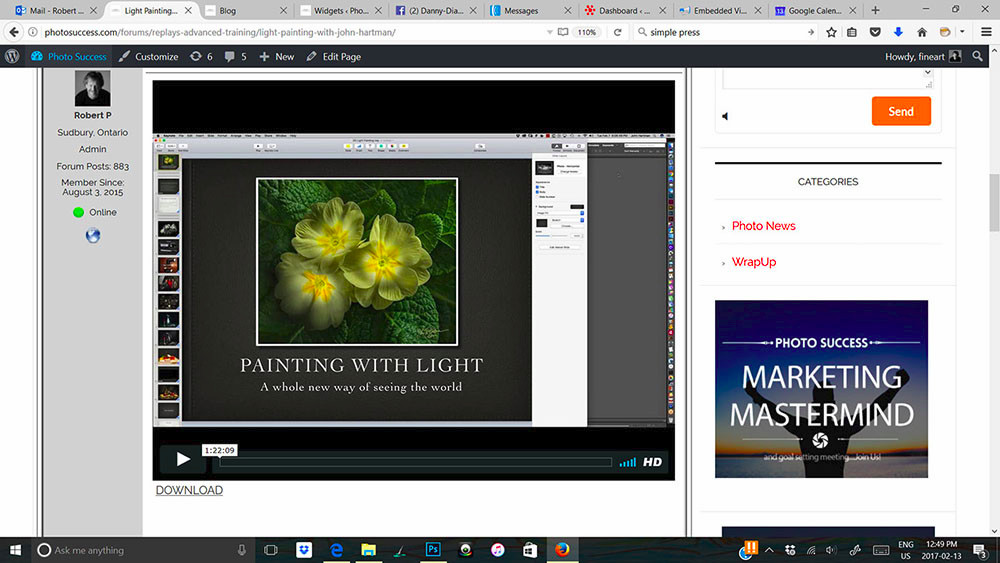
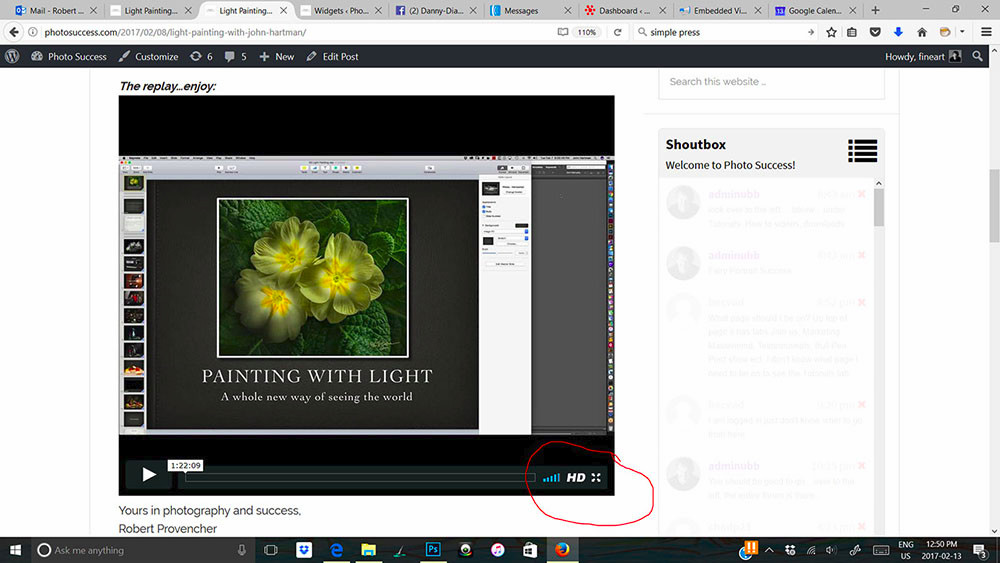
Attached are two images…one showing the video in the forum. NOTE no full screen option. Second image, same video embedded in my blog. NOTE full screen (circled) option shows up.


Absolutely we disallow the use of iFrames. And you should do as well. They allow a user making a post to embed just about anything in the post which can include anything malicious you can imagine. A well crafted iframe content can kill your whole website. You as the forum admin CAN use them, but hopefully you have that permission turned off for your users.
But – you are trying to use an iframe when you should not be. WordPress supports the oEmbed protocol for many sites like YouTube and Vimeo. Paste in the actual URL in the forum post and WordPress will take care of the embedding. And at least when I embed a video I do get the full screen option although I am not a Vimeo user.