Support Forum

Installed Simple:Press Version 5.3.1, Posts never loading?

BH Brian Hall
Brian Hall
Member

Hello,

I installed Simple:Press v5.3.1 onto my WordPress blog at www.kyusho.com/kyushoforums/ and imported all my data from my bbPress blog.  All of the forums are there, all of the posts are there, but I can only load the first post of the first forum in the first group.  Any attempt to load any other post results in a hang where the page never loads.

What’s going on?

Brian

104 Answers

New Answer

MP Mr Papa
Mr Papa
Member

so this is fresh install?

I have a hard time getting any of your pages to load… the site is very slow and more than 90% of a time a page wont load at all… outside of the forum referring to here…

will have to check tomorrow and see if the site is functioning….


BH Brian Hall
Brian Hall
Member

Yes this is a fresh install.  I’ve not had any trouble getting any of the other WordPress pages to load, just the forum posts.

Brian

RD Robert Dempsey
Robert Dempsey
Member

Just went to your site and all ins looking very well there Here is a screenshot as well of one of the forums.

Screenshot_1.jpg
YS Yellow Swordfish
Yellow Swordfish
Member

same here. Like Robert I see some of your forum pages loading just fine. Then after a few page loads nothing loads at all…

So do you have something on all of those forum topics that is taking a long, long time to download or something like that?

BH Brian Hall
Brian Hall
Member

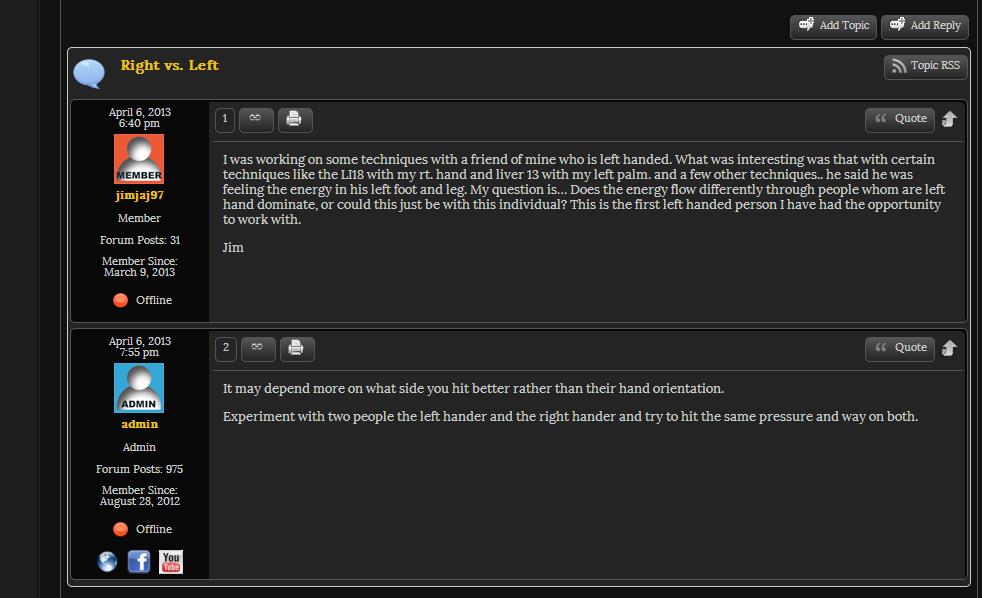
That Right vs Left post is the only post I can get to load.  The rest of the posts will never load and eventually, the browser will say the response was empty.

I’ve tried with Firefox and Chrome and Safari, and they all exhibit the same behavior.  That one post loads, and the rest don’t.

There isn’t anything special going on with these posts, they are typical text only posts.  Some might have an image linked here or there, but generally not.

YS Yellow Swordfish
Yellow Swordfish
Member

Can you check the error log to see if there is an entry for anything to do with this? That would be the server php error log…

BH Brian Hall
Brian Hall
Member

No error messages in the log.

This is the message I get when I just wait for the page to load.  It never finishes processing or something and so never sends down anything.

Unable to load the webpage because the server sent no data.
Error code: ERR_EMPTY_RESPONSE
YS Yellow Swordfish
Yellow Swordfish
Member

Was that last one using Chrome? Try this: http://www.roezer.com/LostBlog/fixing-chrome-bug-error-324-neterr_empty_response/

BH Brian Hall
Brian Hall
Member

I tried the things recommended in the page linked there, but the results are the same.  Firefox and Safari both also are unable to view the posts.

BH Brian Hall
Brian Hall
Member

Firefox had this page:

The connection was reset

The connection to the server was reset while the page was loading.


The site could be temporarily unavailable or too busy. Try again in a few
moments.
If you are unable to load any pages, check your computer’s network
connection.
If your computer or network is protected by a firewall or proxy, make sure
that Firefox is permitted to access the Web.

BH Brian Hall
Brian Hall
Member

On another note, I tried it on another PC, and had the same kind of issue.  In fact it was similar to what was mentioned earlier, where it worked the first time, but then not a second.

MP Mr Papa
Mr Papa
Member

I am not having any issues loading pages today… or forum posts… just viewed about 50 different posts…  Only used FF…

you do have some site errors

“NetworkError: 500 Internal Server Error – http://wordpress.kyusho.com/wp-content/uploads/2012/08/bg-body.gif”

wihich is an odd one…  but 500 errors can stop processing on page…

I also see you are serving cached pages:

<!– Performance optimized by W3 Total Cache. Learn more: http://www.w3-edge.com/wordpress-plugins/

Page Caching using disk: enhanced

 Served from: www.kyusho.com @ 2013-09-02 23:41:45 by W3 Total Cache –>

you cannot cache the forum page as its dynamic content… that could be what you are seeing… with w3tc, you must tell it to ignore the forum page for ALL caching types you are using…

BH Brian Hall
Brian Hall
Member

When I first posted, I wasn’t caching pages at all, but someone was saying the pages were loading extremely slowly.  I installed the page caching system to hopefully fix the long load times and maybe fix the problem.  It has not.

I have now added the forums as an exception to the caching scheme now, but it doesn’t seem to have any impact.  The system still seems to refuse to display topics…

BH Brian Hall
Brian Hall
Member

I’ve corrected the 500 server error regarding the bg-body.gif, but it has not corrected the issue.