
Support Forum

Possible to make Contact IDs on profile clickable? Also, add custom identities to profile view.

TH Thorsten
Thorsten
Member

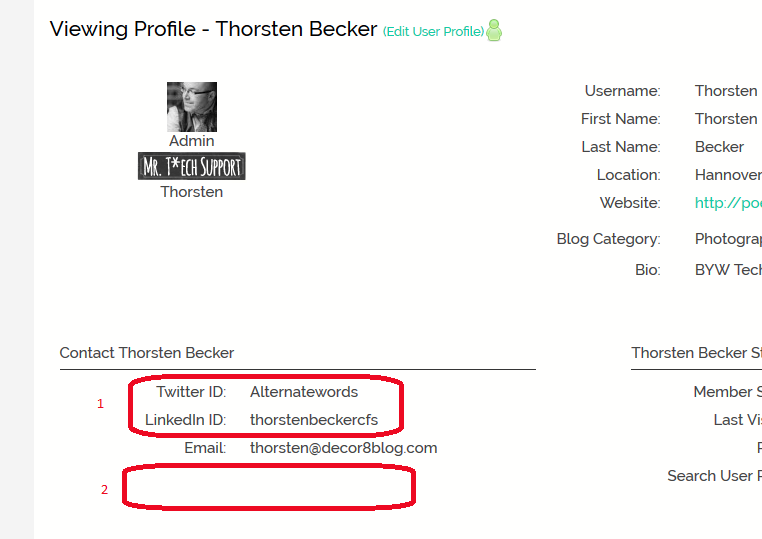
This is a two part questions, I am attaching a screenshot for illustration:
Capture.PNG


1. We’re running an ecourse site teaching blogging and social media and students are wondering why none of the ID’s are clickable. I am curious too since having them listed as plain text is a bit odd. Would it be possible to change that? I don’t mind a bit of hacking if provided with the code.

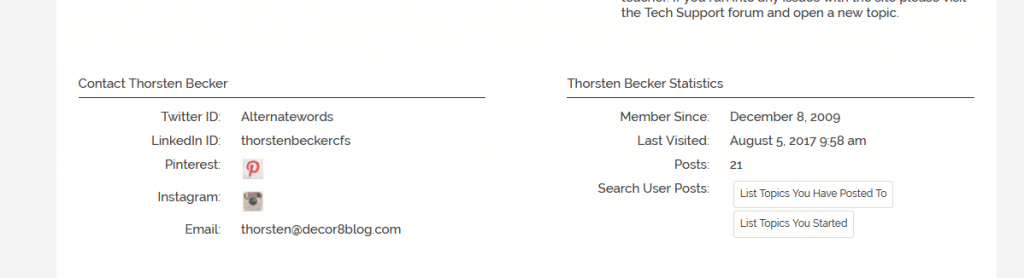
2. I created two additional identities, Instagram and Pinterest, both of which are used by all our students (I think they should be standard identities in S:P). How do I add them to the profile at the position noted (or right above email)? I know they show up under a user’s name when they comment in the forum but that’s less useful than having them on the actual profile. Again, happy to add any coding necessary.

12 Answers

New Answer

MP Mr Papa
Mr Papa
Member

#2 please read our codex:  https://simple-press.com/documentation/codex/plugins/our-plugins/available-plugins/custom-profile-fields/ it gives you some instruction on how to add a display template function in your sp theme profile (popup or page) page view…

#1 kind of a wimpy answer, but they are not links because no one has ever asked or requested such a thing…  so they have been text display for the last 11 years or so eek  but they are just IDs… but of course could be linked to a site…
if you are comfortable with standard wp filters, you could link them yourself…  take twitter, for example…  hook into ‘sph_ProfileShowTwitter’…  then change the p block display to be an html tag…  you would of course have to know the base url to use…  

if you are comfortable with filters, we can provide some additional info…

TH Thorsten
Thorsten
Member

#2, that codex is for the Custom profile Fields plugin. However, Pinterest and Instagram were created using Add User Identities. I did give it a try though and it didn’t work. I can add my custom profile field without a hitch, but it doesn’t work if I use the identities as parameters, unless I am missing something?

#1 any additional info would be great, I am sure I can figure it out.

MP Mr Papa
Mr Papa
Member

ah, sorry, missed the part about it being an additional identity…   surprisingly, there is no simple template tag way to put it in the profile…  perhaps more surprisingly, is that this has not come up before or been requested…

If you tag a look at the function sp_do_PostIndexIdentityDisplay() with the plugin, I think you can make out how to grab the identity info… and then display it… biggest issue might be making it display properly on the profile…  in that case, you could look at the custom profile display tag for profiles on the formatting…

I have to work late tonight and @yellow-swordfish has been under the weather… but this weekend, I should be able to whip up a new function for you to display them in a profile…  perhaps can even add it to the plugin and push out since we already have an update to do for the php 7 issue…

TH Thorsten
Thorsten
Member

The new function option sounds great! I’ll just wait a bit then for an update to the plugin. Thank you so much.

I do have one more question but will open a separate thread for that.

TH Thorsten
Thorsten
Member

I noticed the identities plugin was updated last weekend. Does that include new function to display them in a profile by any chance?

TH Thorsten
Thorsten
Member

I see there is a sp_IdentitiesProfileDisplay now, is that the one? I added that to the profile, but now it looks like this:

Capture-3.PNG


From your previous comments I conclude there is no simple way to show clickable icons for the built-in identities?

YS Yellow Swordfish
Yellow Swordfish
Member

Nor ignoring you and it does look like you are trying the correct, new tag. But I am going to pass this on to @mr-papa to ensure you get the right answers.

MP Mr Papa
Mr Papa
Member

not sure what you are really asking??  the new identity tag looks to outputting as desired…

I explained in post #4 what needs to be done if you want clickable icons for the default core identities… has nothing to do with the identities plugin release…

so perhaps explain a little bit further what your question is…

TH Thorsten
Thorsten
Member

Basically just that. If I want the core identities to display as clickable icons I’d have to write my own functions, this isn’t anything built in to S:P.

Anyway, what I did for now is create custom identities for Twitter, Facebook etc, disabled the corresponding built-ins, then added the custom ones to profile show and topics view and am all set now (took less then 10 minutes to do and no custom coding). Accomplishes exactly what I wanted.

YS Yellow Swordfish
Yellow Swordfish
Member

Good news. But we will talk over and review those mechanics