thanks.. we will try to take a look in the AM…
Support Forum
Try this.
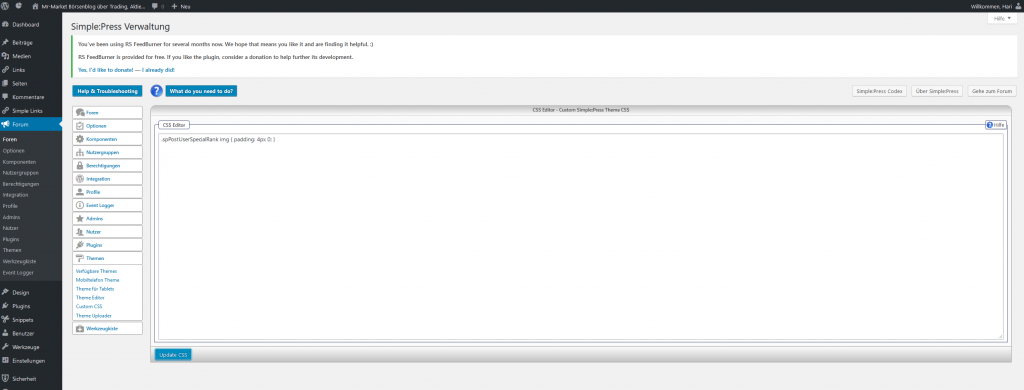
Go to the forum admin > themes > Custom CSS
add the following 2 lines of CSS to remove the space.
.spPostUserRank { padding-bottom: 0 }
.spPostUserSpecialRank { padding-top: 0; }
and update the panel.
If you want to make a space in the special ranks then try:
.spPostUserSpecialRank img { padding: 4px 0; }
The first of these I can check on your site but not the second so that is a little4 guesswork./
Thanks I did. Unfortunately neither way had an effect.
What I am looking for is a the space in the special rank.
To make sure, that I did not missunderstand anything of your words, I provide a picture what I did fpr the second case as attachment.
Change it to:
#spMainContainer .spPostUserSpecialRank.spUserBadge { padding: 4px 0 !important; }
That works for me. You will probably want to change the padding number(s).
I am sorry to report: No effect. I even changed to 20px, no effect.
Is there something I could have overseen? I even tried another browser and cleared explicitly the cache, still no effect as if I never added something to the CSS.
*YES*!
It worked. Thanks!
To wrap things up, how shall I view this change. Is this:
1) Something I should keep permanently, because the cause is special to my configuration? If yes any hint what the cause might be?
2) Something that will be changed from your side with some new version. So I should check to remove the CSS in the future?
Groups of the same rank types are placed in their own div. So when you mx rank types you get two divs and both have their own styling. It is not the divs that have the padding but the images within the divs.
We are most unlikely to change this. It has not been an issue for anyone else. And we do not ever overwrite custom CSS – so it can happily stay there.