Support Forum

Signature not showing up for admin

ST Stang5_0
Stang5_0
Member

I’d like the admin signature to show up in posts but I feel it’s a permission issue or something.  If I change to just a member, voila, there’s my signature but not as admin.  With being admin, signature goes away.

Can you please help me understand where this setting takes place or if it is possible?

Thank You!

33 Answers

New Answer

YS Yellow Swordfish
Yellow Swordfish
Member

No – the signature in admin posts should be just fine. Mine is below as you see. Can I ask to see the code you are putting in place for the signature?

ST Stang5_0
Stang5_0
Member

I thought so.

I did try using just “test” with no formatting but that did not work.

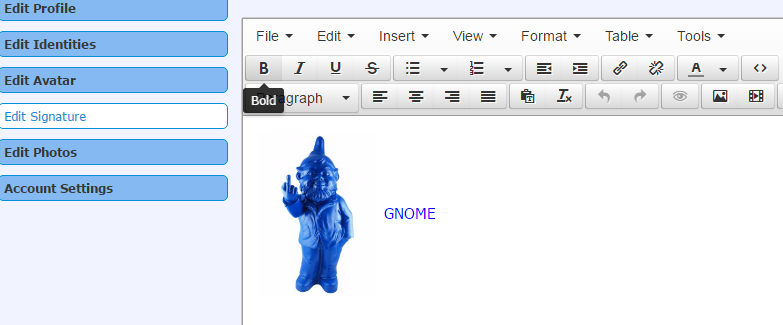
What I am trying to use is a picture and blue text.  Here’s what it looks like in the editor.

Capture.PNG

I find it odd that if I make my user just normal and NOT an admin, then the signature shows up fine with the exception of half of it being cropped off, but I found that in here in the forum and will address that issue next.  But for now, I’d just like to get it to show up.

Regards,
Stang

YS Yellow Swordfish
Yellow Swordfish
Member

To be honest I am, at the moment,  somewhat stumped! There is absolutely nothing in the code that differentiates for the type of user (other than a non-registered guest) and this is the first time we have heard of any such issue.

Di you have any WP plugins active that might be treating the display of a site admin differently?

YS Yellow Swordfish
Yellow Swordfish
Member

Looking at the error you posted it seems you have a cache plugin running and this could be the cause of your problem.

Caching blog posts – static data- is good. Bit a forum is dynamic and changes all the time – and is different for each user. You need to exclude the forum page from the cache plugin – for all types of the cache

ST Stang5_0
Stang5_0
Member

For whatever reason, this is working now.

I know it makes no sense, but for grins, here’s what went on with this starting last week.

I added a signature and it did not display.

I created a test account as a basic member and added a signature for the test account and it displayed.

Changed the Admin account to a lower permission group and the signature displayed.

Changed it back and it went away.

Posted here about this and that top poster count in the other forum rather simultaneously.  Played with that issue some leading us to this conversation and the signature shows up.  Go figure.

Not sure why the error about the cache and I agree with you on that.  I had already added the forum to the exclusion list so it was surprising to see that.

Thanks for your help

YS Yellow Swordfish
Yellow Swordfish
Member

Some cache plugins, as I have been told anyway, will continue to serve pages from the cache AFTER excluding a specific page, until the cache timeout is reached. Maybe that was the issue.

ST Stang5_0
Stang5_0
Member

So, as you know, we’ve been playing with that other issue with top posters so I’m not sure if the two are related, but here we go with the signature thing again.

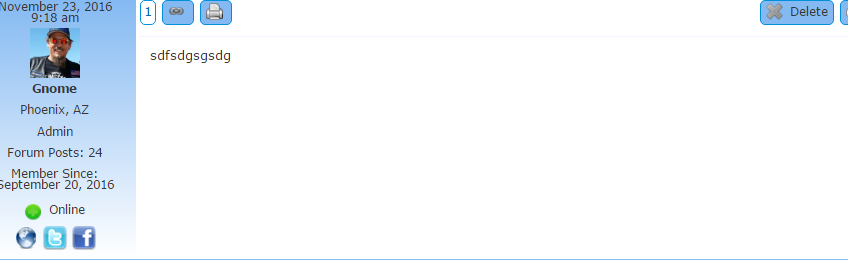
If I post a new post there is no signature

Capture-3.PNG

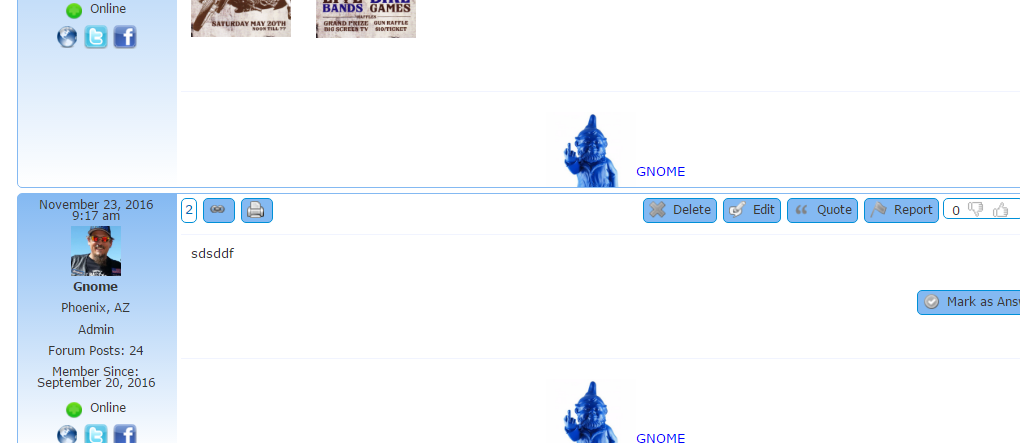
If I reply to an older post with a signature, there is a signature every time

Capture2.PNG

Then another post of mine from a couple weeks back does not even have a signature, so theme sporadic if that makes any sense.  It is possible too that I don’t understand how signatures work exactly.  Also, WP Super Cache is not active by the way as we work on this.

As always, thanks for all your help.  My two issues are not huge so if there are more pressing items with your other customers over the next few days have it.  I’ll be away for the long weekend not playing with this anyhow except for the remainder of the work day today.

Happy Thanksgiving,

Stang

YS Yellow Swordfish
Yellow Swordfish
Member

What SP theme is this you are using please? Can you try a quick switch to the BareBones theme supplied with the install to see if the signatures behave better using that? Might help with the diagnostics…

You could also set up the same signature here on this site so we can see how it works…

ST Stang5_0
Stang5_0
Member

Barebones seems to work as it should, but the rest, not so much.  Theme of choice has always been Unified and that’s where the issue lies.  I notice Default behaves in a similar fashion as well to Unified.

YS Yellow Swordfish
Yellow Swordfish
Member

Ok – let’s try something different. In the Unified theme /templates folder is the spTopicView.php template and I would like you to make a small edit of you would.

Around line 366 – much nearer the bottom than the top – is this line of code:

sp_PostIndexUserSignature('tagClass=spPostUserSignature spCenter&maxHeightBottom=55');

I would like you to remove the 55 from the end of that, save, clear the browser cache and see what happens (if anything!).

So literally… – leave the equal sign in place…

sp_PostIndexUserSignature('tagClass=spPostUserSignature spCenter&maxHeightBottom=');
ST Stang5_0
Stang5_0
Member

Same thing I’m afraid.

New post does not have signature but if I reply to a post that does have a signature, it will add one.

Do I need to add that file to the child theme or just leave what files are in there alone?

Thanks!

YS Yellow Swordfish
Yellow Swordfish
Member

As it made no difference there is no need to copy it over. Same question as the other thread? I think we need a link. Both these issues are quite unique which usually points to a third party knock-on effect of some kind.

ST Stang5_0
Stang5_0
Member

I sent you guys a PM with account info for the site.

Regards

YS Yellow Swordfish
Yellow Swordfish
Member

Those credentials do not work for me…?