Support Forum

Topics with unread posts fails to update

RI rickandersonaia
rickandersonaia
Member

I upgraded my site to PHP7 and SSL this weekend – since then I’ve had a number of odd problems on the site.

In particular the “topics with unread posts” is inaccurate and doesn’t update.

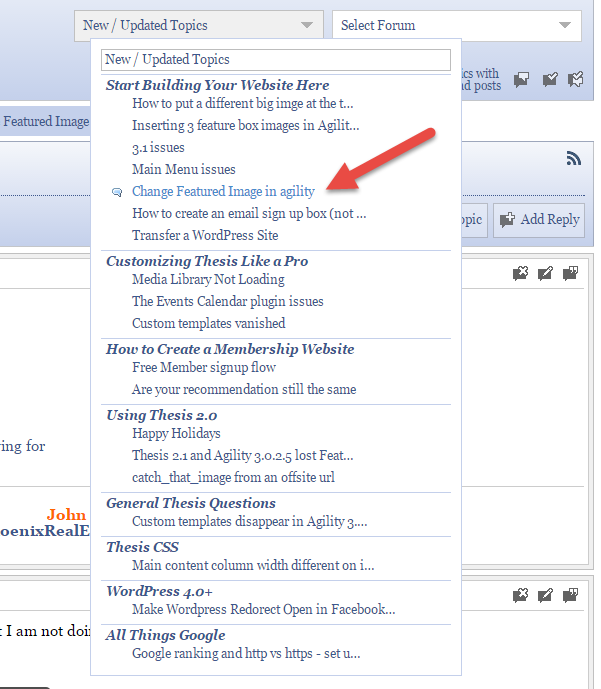
It shows 2 topics – but when you drop down the list there is only 1
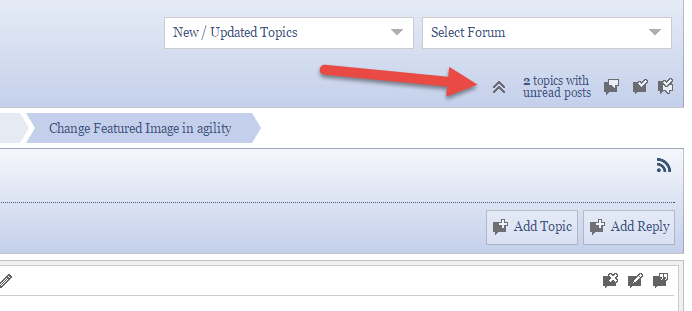
2017-01-17_7-49-55.png2017-01-17_7-49-31.png

When the topic is viewed an you go back to the forum page it still shows 2 topics and shows that there is a new post in the topic that you just visited
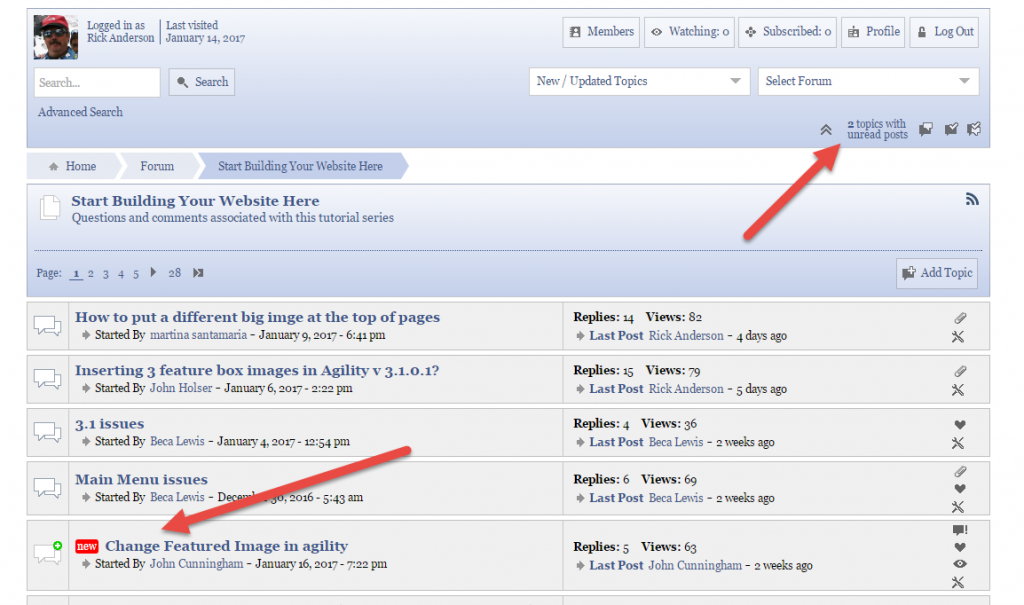
2017-01-17_7-51-16.png

11 Answers

New Answer

YS Yellow Swordfish
Yellow Swordfish
Member

Same question as:

https://simple-press.com/support-forum/sp5-general-topics/statistics-are-way-off-after-upgrade-to-php7/#p164506

RI rickandersonaia
rickandersonaia
Member

I don’t think so – WP Engine doesn’t cache for logged in users.  So when I’m logged in I see the uncached page.  Some static resources do seem to be cached for a short time – but not the data.

RI rickandersonaia
rickandersonaia
Member

Although logged in users see uncached pages – WP Engine excluded  https://www.byobwebsite.com/forum/ from their cache.

It didn’t make any difference.

MP Mr Papa
Mr Papa
Member

well, simple press has no facility for displaying cached pages… nor for delaying data displaying…

are you saying it shows up eventually?  ie when a cache goes stale and it updates?  or is wrong forever?

RI rickandersonaia
rickandersonaia
Member

It is staying wrong for at least 48 hours – perhaps not forever.

Caching should now be entirely out of the equation.

RI rickandersonaia
rickandersonaia
Member

I just deactivated the plugin and then reactivated it.  It actually showed a post from 8 months ago as “new” and now it shows that I have 3 unread posts – even though I have again visited all 3

RI rickandersonaia
rickandersonaia
Member

An interesting wrinkle – a member just told me that she attempted to add a post to that 8 month old thread.  However, she can’t see it – and neither can I.  The thread shows a new post but neither the author nor the admin can see the post. 

RI rickandersonaia
rickandersonaia
Member

Here is the notice that I received of the post – 

New forum post on your site: Build Your Own Business Website

From:   Sarah Clarkson [sarahmayclarkson@me.com], Poster IP: 86.161.105.192

Group:  Lesson questions & comments
Forum:  Make an E-Commerce Website
Topic:  WooCommerce Thesis Integration
https://www.byobwebsite.com/forum/make-an-e-commerce-website/woocommerce-thesis-integration/
Post:
Still stuck.


Here’s a screencast to explain


Here is an example of the kind of effect I am striving for

RI rickandersonaia
rickandersonaia
Member

Interestingly – 2 hours ago I got this notification of a new post – note that the post content is the same as above

New forum post on your site: Build Your Own Business Website

From:   Bas Burger [basburger@ziggo.nl], Poster IP: 83.82.116.99

Group:  Lesson questions & comments
Forum:  Customizing Thesis Like a Pro
Topic:  test
https://www.byobwebsite.com/forum/customizing-thesis-like-a-pro/test-2/
Post:
Still stuck.


Here’s a screencast to explain


Here is an example of the kind of effect I am striving for

RI rickandersonaia
rickandersonaia
Member

One last wrinkle – that post content actually comes from this post – 

https://www.byobwebsite.com/forum/start-building-your-website-here/change-featured-image-in-agility/

Neither of the users above actually used that content in their posts

MP Mr Papa
Mr Papa
Member

actually having hard time following what you are saying..  I dont see the screencasts…

as a user who cannot see a specific post, can you go to forum – profile – permissions and upload n image of what you see…

did I read elsewhere you moved site over?  perhaps let make sure everything fresh… please go to forum – toolbox – housekeeping and reset the auths cache and user plugin data… also flush the general cache…and maybe go ahead and rebuild the forum indexes for your forums…