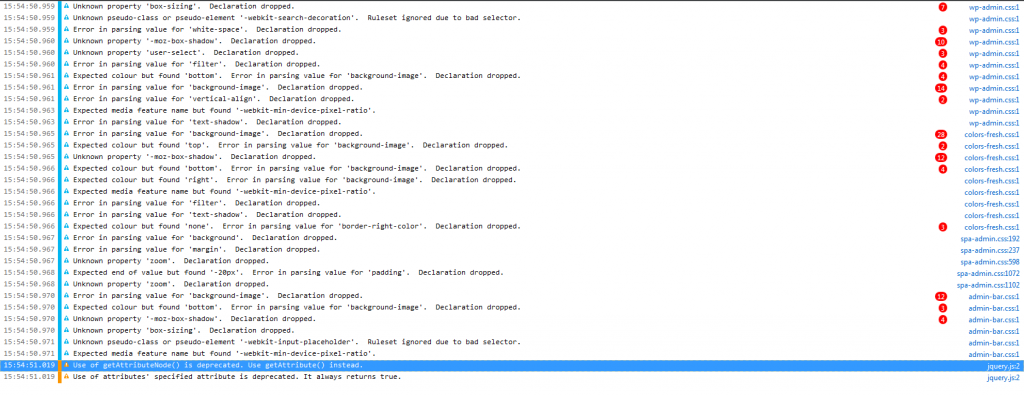
still the same as they were
Support Forum
This is quite disturbing. It is almost as if you have no rights to make database changes but you must have had to enable installing the plugin in the first place. And when we sort this out that will still leave future updates with a question mark over them.
Are you running any sort of http authentication system on your server? Or any sort of special security layer on your database (for example)?
there was an issue with iis user not having write permissions to the server but this has been fixed i got simple press running on a test server that is set up the same way so don’t know what it might be
Have you run the same SP upgrade on your test server with no issue?
I am going to have to discuss this here to see if we can come up with any ideas… (Steve?)
anything in the error log?
which browser do you use? you should be able to open the console of the browser before you run the upgrade and see if any errors are thrown in the console for any of the ajax responses…
Can you clear the log and run the upgrade again following the same steps as before and see if any new items get added. But just focus on the errors – leave out the CSS which takes up so many lines!
So what is this tool? Is this something in IE?
And – after you have done the above could you perhaps also look at the server php log which also might yield a clue…
That is the only js errors that come up on the firefox console
[16:33:30.092] Use of getAttributeNode() is deprecated. Use getAttribute() instead. @ http://www.autismnetworkscotland.org.uk/wp-includes/js/jquery/jquery.js?ver=1.7.2:2
[16:33:30.092] Use of attributes’ specified attribute is deprecated. It always returns true. @ http://www.autismnetworkscotland.org.uk/wp-includes/js/jquery/jquery.js?ver=1.7.2:2
will try and get the php error log
We don’t use getAttributeNode() in any of our code so that must be from something else you have active. But it does beg the question – which version of WordPress are you using?
Hi Yellow Swordfish
I am currently using version 3.4.2 i know this is not the latest version but i do not have a say in the updateing of it
While I do not believe this is really the problem we may as well at least explore it so – is your test environment also running WP 3.4.2?
It IS worth noting however that we often need to make a lot of code changes to support new versions of WordPress not least because WP supplies core JavaScript libraries which also change quite rapidly. Your current environment is running a 1.7.x version of jQuery whereas WP 3.6 due to be released some time this week is now using 1.10.2. The same rule will apply to other plugins as well. It is probably, as a rule of thumb, unwise to update plugins that are newer than the core WP the site uses.
It just looks like here we need to determine the difference between your live environment and your test server and why the live server appears to not allow you to make SQL schema changes – assuming you do actually have mySQL permission to make schema changes.
So – anything in the php error log?
the following is the only error i get but it is repeated
[31-Jul-2013 10:07:21 UTC] PHP Warning: array_key_exists() expects parameter 2 to be array, null given in C:inetpubwwwrootwp-contentpluginssimple-presssp-apisp-api-class-user.php on line 320
Not sure what to say to that as that file does not HAVE 320 lines of code in it! Not the previous version you were using or the one you were upgrading to.
What about the first question on environments?