Support Forum

Can't add new topic since themes and plugins update earlier today

43 Answers

New Answer

MP Mr Papa
Mr Papa
Member

okay, thanks…  can you go to forum – toolbox – housekeeping and try resetting the combined script cache?

RI RickA
RickA
Member

Unfortunately, there is no change as a result of that action.

MP Mr Papa
Mr Papa
Member

lol… okay, thought you excitement meant it worked…

next step would to go forum – options – global settings and disable the compressed js file… dont expect any change, but want to rule stuff out…

YS Yellow Swordfish
Yellow Swordfish
Member

Not sure where Steve was heading with his enquiries but I seem to recall you said that when you updated TinyMCe you had a php error or something so perhaps we just ought to think about that.

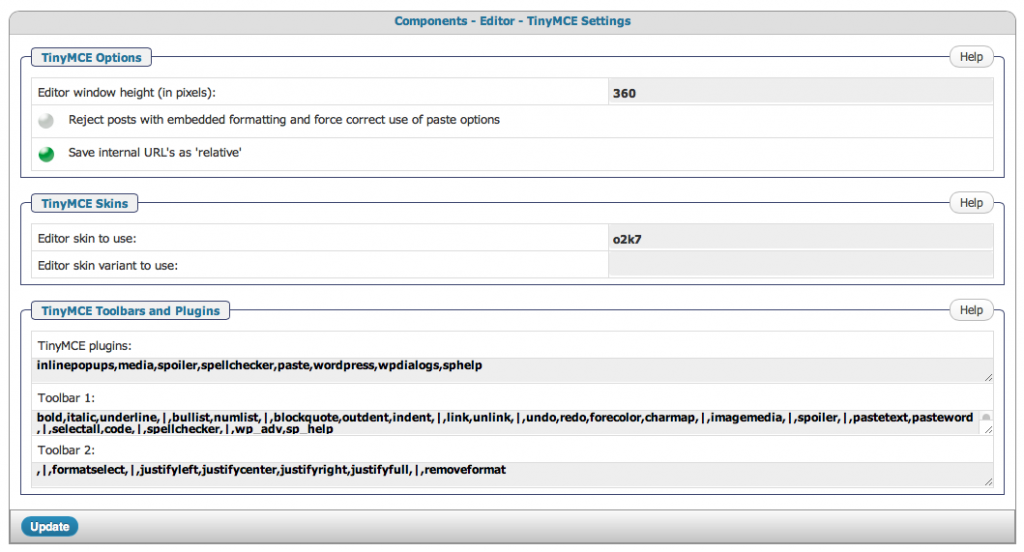
If you go to the forum admin > components > Editor (TinyMCE) – do you have any data in that panel? Are the plugin and toolbar lists at the bottom fully defined?

And just in case they are not then try uninstalling (as opposed to deactivating) the tinymce plugin and then installing it again…

RI RickA
RickA
Member

Here is a shot of what it looks like. Let me know if I should uninstall TinyMCE.

Screen-Shot-2012-12-17-at-5.21.13-PM.png
RI RickA
RickA
Member

I have uninstalled Tiny MCE, reinstalled it and when I activated it

Screen-Shot-2012-12-17-at-7.24.55-PM.png

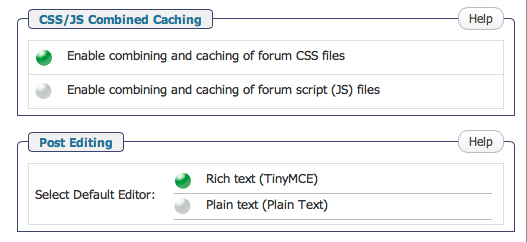
and then went to Global Settings and changed from Text Edit to Rich Text as follows:

 Global Settings >>Post Editing>>Select Default Editor>>Rich text (TinyMCE

The Forum screen was showing these error messages.

Warning: include_once(/problem-with-post-edit-buttonome/inbndmkt/public_html/ttz1.com/wp-content/sp-resources/forum-plugins/tinymce-richtext/library/sp-tinymce-filters.php) [function.include-once]: failed to open stream: No such file or directory in /problem-with-post-edit-buttonome/inbndmkt/public_html/ttz1.com/wp-content/sp-resources/forum-plugins/tinymce-richtext1/sp-tinymce-plugin.php on line 107

Warning: include_once() [function.include]: Failed opening ‘/problem-with-post-edit-buttonome/inbndmkt/public_html/ttz1.com/wp-content/sp-resources/forum-plugins/tinymce-richtext/library/sp-tinymce-filters.php’ for inclusion (include_path=’.:/usr/lib/php:/usr/local/lib/php’) in /problem-with-post-edit-buttonome/inbndmkt/public_html/ttz1.com/wp-content/sp-resources/forum-plugins/tinymce-richtext1/sp-tinymce-plugin.php on line 107

The TinyMCE edit bar has not been present since I updated the plugins yesterday. At that time, I got this error message:

Screen-Shot-2012-12-14-at-3.23.48-PM.png


BR Brandon
Brandon
Member

It looks like it got installed in the wrong folder. Its showing /tinymce-richtext1. Not from something you did but something that seems to happen in a few rare instances.

You will need to FTP or otherwise access the files and check to see if there is a tinymce-richtext and a tinymce-richtext1 folder. If only the “1” is there then you can rename it, removing the “1” and you should be good to go.

MP Mr Papa
Mr Papa
Member

Get rid of the 1 in tinymce1 directory name. Should just be tinymce.

RI RickA
RickA
Member

OK, I removed the 1 using FTP and activated TinyMCE in Plugins.Screen-Shot-2012-12-17-at-7.52.52-PM.png

I then set the Default Editor to Rich Text.

Screen-Shot-2012-12-17-at-7.53.14-PM.png

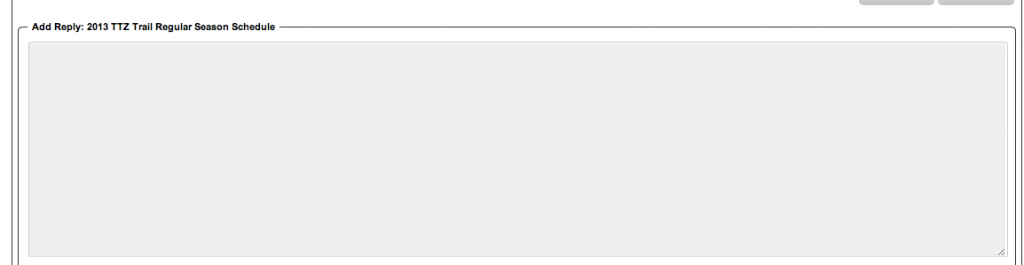
But the TinyMCE toolbar does not appear.

Screen-Shot-2012-12-17-at-7.52.08-PM.png

What should I do next?

BR Brandon
Brandon
Member

In the screenshot it shows combining CSS is on. Did you try with it off too? Also have you tried as another user to make sure it isn’t something with the user db info you are logged in as?

RI RickA
RickA
Member

No TinyMCE edit bar when I turn off the combined CSS. Regular members are experiencing the same problem as me and the other admins.

MP Mr Papa
Mr Papa
Member

one other thing to try…  disable your other plugins to see if conflict…  its odd that there is a problem because we are just using the wp version of tinymce now – thats the one you get if you write a wp blog post…

if it still works, then I guess we need a closer look to see if we can see whats going on… could you pm yellow swordfish, brandonc and myself a temp wp admin account with sp admin capabilities?  include a link to this topic so we know what its about and we can see if we can ascertain anything more..