Hi there! I’m wondering what gone wrong here.
Settings
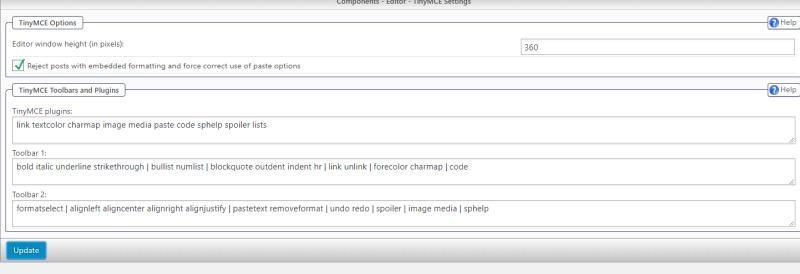
Result
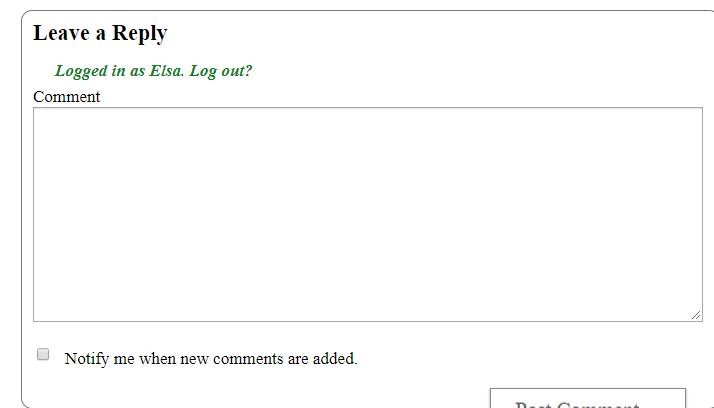
Thanks!


Hi there! I’m wondering what gone wrong here.
Settings
Result
Thanks!


Is it possible that the user profile is set to use a plain text area as the editor? Each user can set the editor they prefer in their user profile (USER PROFILE->OPTIONS->EDIT POSTING OPTIONS).
Thanks.
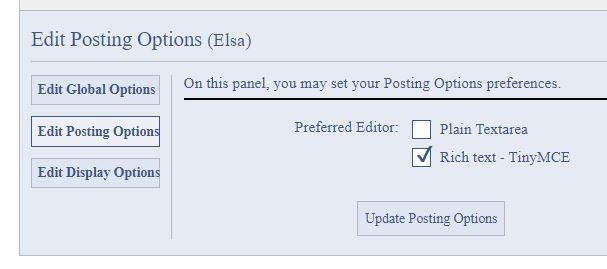
It is my (admin) profile, and this setting is correct.
Any other ideas?
Thanks!

Does it work if you’re logged in as a regular user?
Also, does using it to enter a reply actually allow the reply to go through?
I am logged in as admin and everything is normal. Matter of fact, I came to the SP site today to look for any new plugins… saw the tinyMCE and downloaded it. I uploaded it and got an error, because it was already uploaded.
I suppose it’s been non-working for years. I think I will delete and reinstall and see it that does some good.
I got this error
There is an update for the Editor TinyMCE Rich Text plugin.
Version 4.1.0 of the plugin is available.
This newer version requires at least Simple:Press version 6.1.0.
For details, please visit Simple:Press or update now.
I am using current version of simple press.
I would not have expected the update to make a difference. I am also out of ideas as to what the cause might be – not something I’ve seen before or that anyone else has reported in the past (as far as I can tell). I think this is one of those cases where you might need someone to get on to your site to see what else is going on.