Support Forum

Forum Broken after last week's update

37 Answers

New Answer

MP Mr Papa
Mr Papa
Member

looks better… 

but wondering if you are running into a limitation of IE…  even in this day and age, it has a severely limited number of js and css files it can load – ridiculously limited in fact… and you have a lot of them…  plus it loads fine on other browsers that have no practical limit…

so could you go to forum – options – global display and turn back on the combined css and js caches and see if any difference…  that will drastically cut down on the number of files needed for inclusion…

JC Jennie Chancey
Jennie Chancey
Member

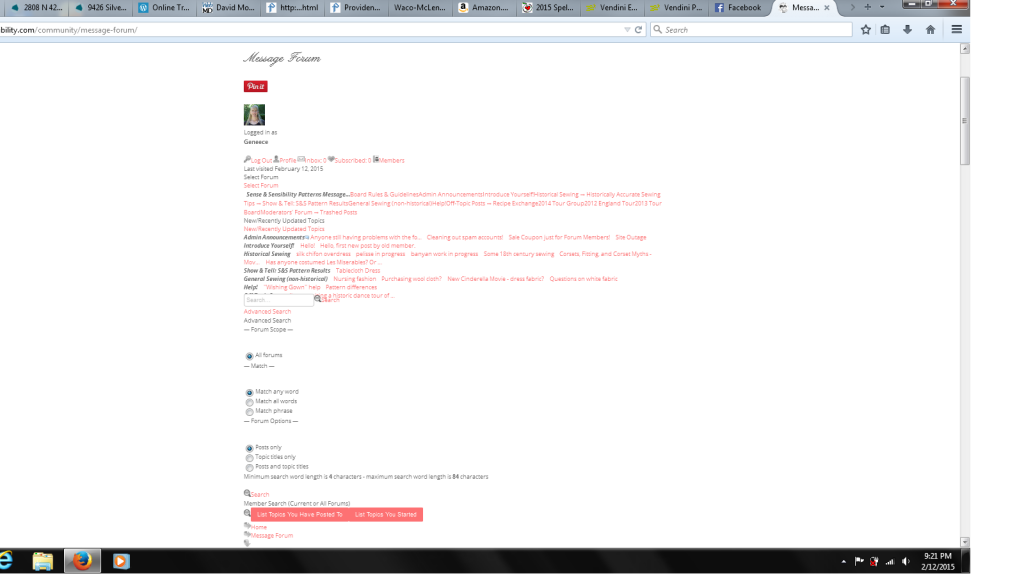
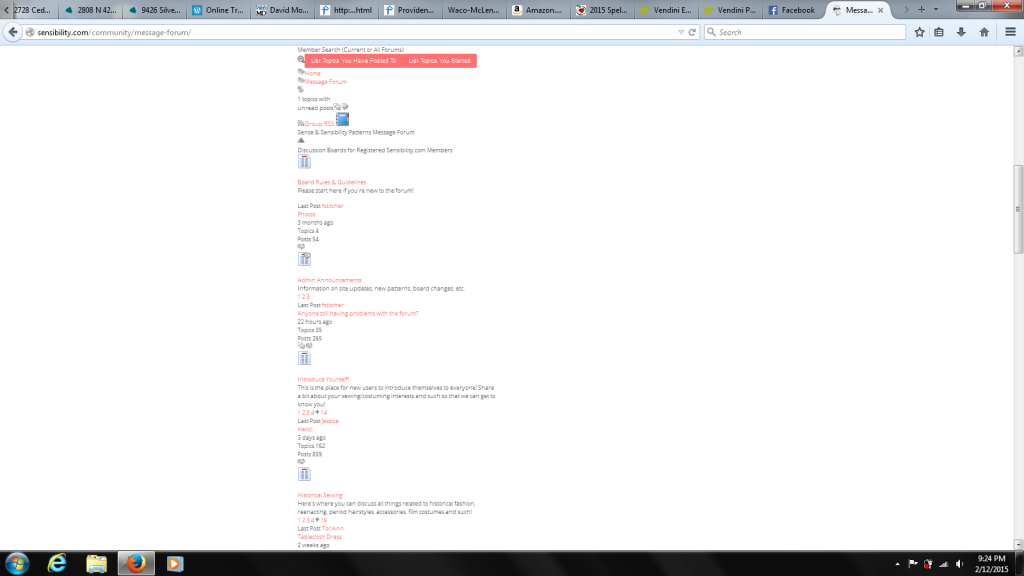
Well, as soon as I checked the combined CSS/JS boxes, the forum went back to being text with no structure (theme). So I’ve unchecked those options again. Unfortunately, some Firefox users are still getting a page full of non-functional text. I have a moderator in Texas and asked her to flush all her cache and history files and reboot. She did so, and she still sees the garbled mess. Here are the screen shots:

Forum1.pngForum2.png

Where do we go from here?

Thanks,

Jennie

MP Mr Papa
Mr Papa
Member

what are the current settings on forum – integration – page and permalink?  can you try setting the strict wp api option?

and what wp theme is this?

if you do a quick temp switch to the default wp theme, does anything change?   just collecting data…

JC Jennie Chancey
Jennie Chancey
Member

Still scratching my head, because I can’t see any errors now in the latest Firefox or Safari. I have users on IE 11 who just see text running down the left side of the screen (no theme, basically). Ditto Chrome users. But since I can’t see what they’re seeing, it’s very hard for me to test any fixes. I’ve just ticked the “Strict WP API” box. Does that do anything for you on that end?

Thanks,

Jennie

PS – I’ve never had plugin conflicts with Simple:Press before, and I haven’t added any new plugins, so it seems unlikely a plugin is breaking the forum…?

MP Mr Papa
Mr Papa
Member

right now, its broken in all browsers for me…  Chrome, FF and IE…   there are all sorts of errors and issues in reading the simple press css file…

please turn off the strict wp api option for now…

can you refresh on when this started going south?  after any upgrades of wp, sp or other?

MP Mr Papa
Mr Papa
Member

also, it says your running the default theme?  is that right?  stock and unedited?  and up to date?

JC Jennie Chancey
Jennie Chancey
Member

Okay, I’ve turned the WP API back off. The forum still worked for me in Safari, but it did look a little “off.”

The forum went wonky when I updated to the latest version of Simple:Press about two weeks ago (I had already updated to the latest WP version about a week before that without any issues). I didn’t add/change any other plugins that I can recall. However, I did just realize that I changed the option for the Pinterest Hover button to include pages (not just posts). I’ve now turned that back off, since it could be that bit of code creating the conflict.

Thoughts?

Thanks,

Jennie

MP Mr Papa
Mr Papa
Member

strange cause it doesnt work now in IE, Chrome, FF and Opera… Cant try Safari on PC because its no longer supported…

still looks like your default theme is out of date…  is it stock or custom?

and all simple press add on plugins up to date?

JC Jennie Chancey
Jennie Chancey
Member

No, I updated my theme (Chamomile by BluChic) after I submitted the support ticket, because we thought that might help. I don’t have any theme customizations in place (other than editing images like logos and buttons).

I can still see the forum just fine on Safari and Firefox 35.0.1….

So frustrating!

J.

MP Mr Papa
Mr Papa
Member

No, I meant your simple press theme…  not wp…  I wonder if your browser has cached the page for you…

its running out of date css….

if you go to wp – dashboard – updates, do you have an simple press themes or plugins to update?

this is sp 5.5.4?

JC Jennie Chancey
Jennie Chancey
Member

Just checked. Everything up to date–no updates waiting. I’m using Version 5.5.4. rolleys

MP Mr Papa
Mr Papa
Member

and what is the version of the default theme you are using?  you can look in file, or see it on forum – themes – theme list…

wp 4.1, right?

MP Mr Papa
Mr Papa
Member

right version… but odd I am seeing old css… but just could be because the css is not loading properly…

I wish I knew how you are seeing it…  I cannot in the latest FF…  the css just isnt loading properly…

but give me minute to look at something else…

MP Mr Papa
Mr Papa
Member

ah, there we go…  seems you are running Sucuri Firewall and Cloud Proxy…

It is blocking access to the css file and yielding this:

<title>Sucuri WebSite Firewall – CloudProxy – Access Denied</title>

so you (and we separately) might need to contact them and ask why…  or maybe you can whitelist the forum css file…

quite odd…  still digging..