Support Forum

Move Post no longer working.

JI jim
jim
Member

I thought this issue was only related to moving a post to an existing topic, but just confirmed moving to a new topic also fails. First noticed this after updates to SP 6.02 and WP 5.0.2…

Can anyone replicate the following behavior?

Or, might this be related to some new code missing from our child theme template(s)?

Cannot Move to Existing Topic:

1. Clicked Move Topic and selected move to existing topic

2. Navigated to desired existing topic.

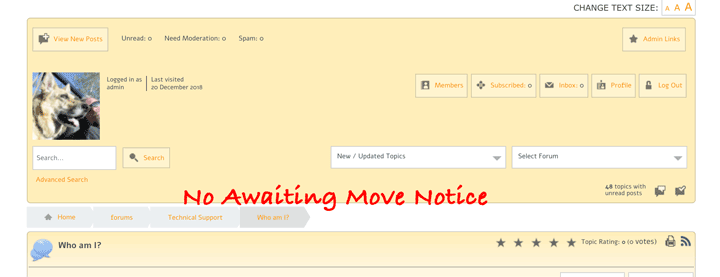
3. No notice appeared at top of forums about post waiting to be moved.
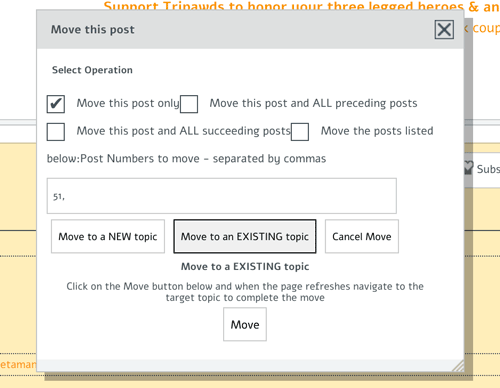
move-toexisting.pngnomove-notice.png

Cannot Move to New Topic:

1. Clicked Move Topic and selected move to new topic.

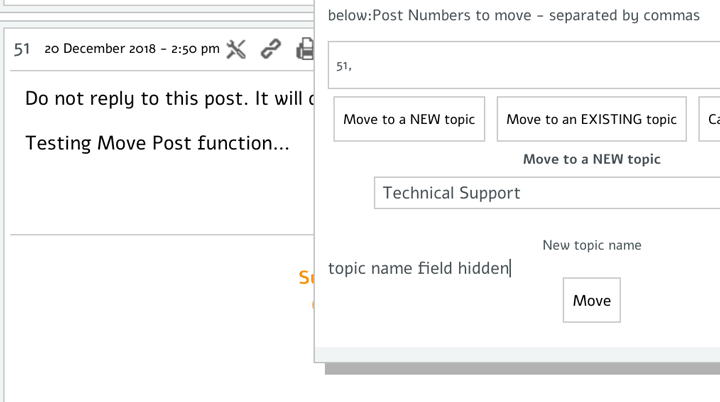
2. No field displayed for entering new topic name.

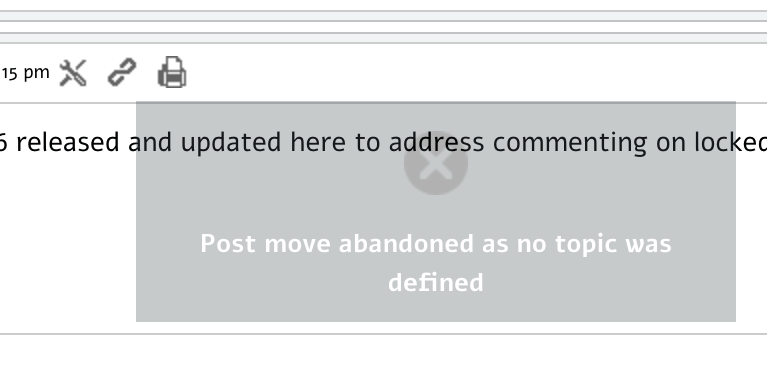
3. Hitting move results in Move Abandoned error.
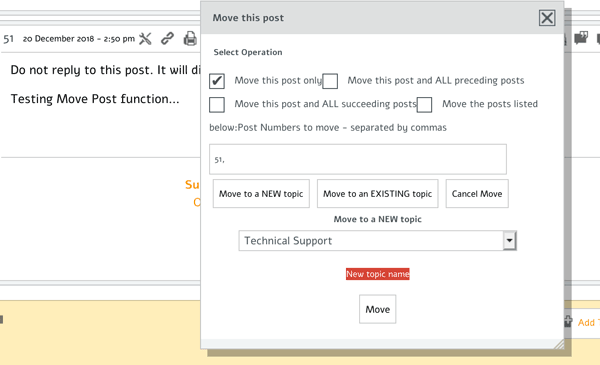
move-tonew.pngmove-abandoned.png

Thank in advance for any direction to troubleshoot further if this is not considered a bug report.

21 Answers

New Answer

MP Mr Papa
Mr Papa
Member

I have no issue moving to a new topic…  the input field for the new topic name is indeed there, but the css does appear wonky making it hard to see… its between the ‘new topic name’ title and the move button…  we do need to fix the css to make it more visible/obvious…

I will have to run some tests on moving to existing topic…

MP Mr Papa
Mr Papa
Member

does seem to be something amiss with moving to existing topic though…  working that issue…

MP Mr Papa
Mr Papa
Member

will have the move to new existing topic fixed up in the next version… as well as improved css for the move to new topic…

JI jim
jim
Member

Mr Papa said
will have the move to new existing topic fixed up in the next version…

Thank you!

Is there any edit(s) required for spForumView or spTopicView templates that I should or will need to make to my Child Theme?

Also, I just confirmed that the topic name field is there, just hidden as you describe. If the css edit is something I should add to our child theme, please advise. We do have custom CSS for Reboot and the light-matte overlay in our rebootkid theme framework.

topicnamefield.png
JI jim
jim
Member

FYI: Just for fun, I tested the Move Topic function and encountered the following:

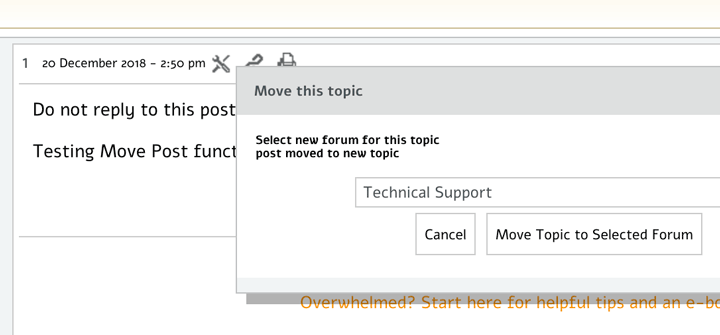
1. Opened Move Topic dialogue and selected desired forum.

2. Received Invalid Database Query error.

3. Page refreshed and redirected to new forum/topic, which was indeed moved.

New can o’ worms here?

movetopic1.pngmovetopic.png
MP Mr Papa
Mr Papa
Member

no the changes are internal and not theme related…

I cannot replicate the move topic issue… it works fine for me…  would be worth more details on the steps you took (which toolset, etc)…  also, look in your toolbox error log and see what the invalid db query was…

JI jim
jim
Member

Mr Papa said
no the changes are internal and not theme related…

I cannot replicate the move topic issue… it works fine for me…  would be worth more details on the steps you took (which toolset, etc)…  also, look in your toolbox error log and see what the invalid db query was…


Mr Papa said
see what the invalid db query was…

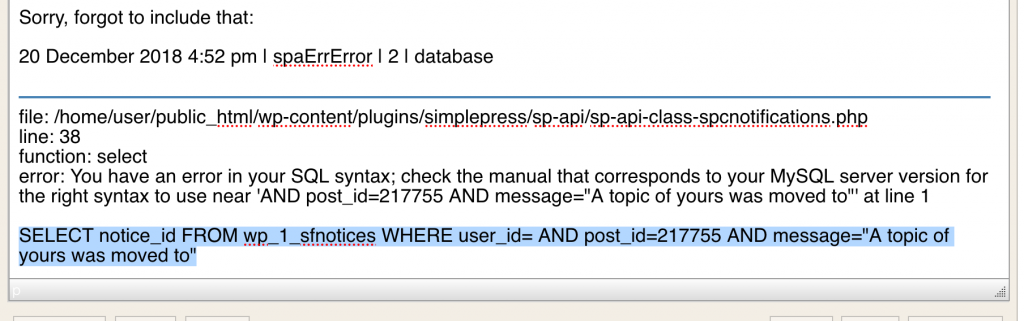
Sorry, forgot to include that:

20 December 2018 4:52 pm | spaErrError | 2 | database


file: /home/user/public_html/wp-content/plugins/simplepress/sp-api/sp-api-class-spcnotifications.php
line: 38
function: select
error: You have an error in your SQL syntax; check the manual that corresponds to your MySQL server version for the right syntax to use near ‘AND post_id=217755 AND message=”A topic of yours was moved to”‘ at line 1

Unable to post entire error including query…

Screen-Shot-2018-12-20-at-4.22.35-PM.png
MP Mr Papa
Mr Papa
Member

so the topic was moved?  the error came from the success popup notice displayed…  weird… cannot replicate this…  the user id does not exist…

anything special about the topic (and its starter)?  admin? user? guest? etc….  how about the topic?  how many posts?  topic title?

JI jim
jim
Member

Mr Papa said
so the topic was moved?

Yes. Thanks for the brain cycles on this.

Special? Not sure.

Single post in new starter topic by admin (SP admin and WP super-admin). Topic may have been locked prior to attempted move. Testing that theory now…

JI jim
jim
Member

So…error persists after unlocking topic prior to move.

Yet, moving the only post in the topic to a new topic in another forum proves successful, with removal of the empty topic in the source forum. (Hope that makes sense.) So, this is our workaround since it cannot be replicated.

No new error in the SP log though, perhaps because it was identical. Looks like timestamp on error may have been updated.

Reassigned user of first post and issue persisted upon attempted move.

Noting special about topic title.

MP Mr Papa
Mr Papa
Member

lost at the moment…no matter what I try, I cannot replicate…  you are running 6.0.6 right?

have tried just about any combination that I can think of…

have asked Andy to try a test as well…

JI jim
jim
Member

Mr Papa said
you are running 6.0.6 right?

Affirmative.

Our workaround for the time being with to just move the first post in topic, along with any subsequent posts in the topic, if necessary.

We’ll see if pending update for moving posts make any difference.

Thanks!

MP Mr Papa
Mr Papa
Member

so Andy tried numerous ways to replicate this issue and is also unable to replicate… works in all cases he or I have tried…  so I guess, we need step by step walk through on how to recreate…

have you tried with multiple topics or just the one?  the error you posted says the topic you moved did not have a user id associated with the topic… would be worth a look in the database in the sftopics table for this topic and see if there is indeed a user_id value in the row…  

JI jim
jim
Member

Hmm…thanks for the feedback and direction. I’ll investigate further and report back. Fortunately, this is not an urgent matter.