Support Forum

Posts in Moderation not being Shown as Requiring Moderation

PT Philip Treacy
Philip Treacy
Member

Hi,

Every day we have posts go into the moderation queue but are not shown at the top of the site as being in moderation.  The Need Moderation number is either 0 or incorrect.

Clicking on View New Posts does not show all posts that need moderation.

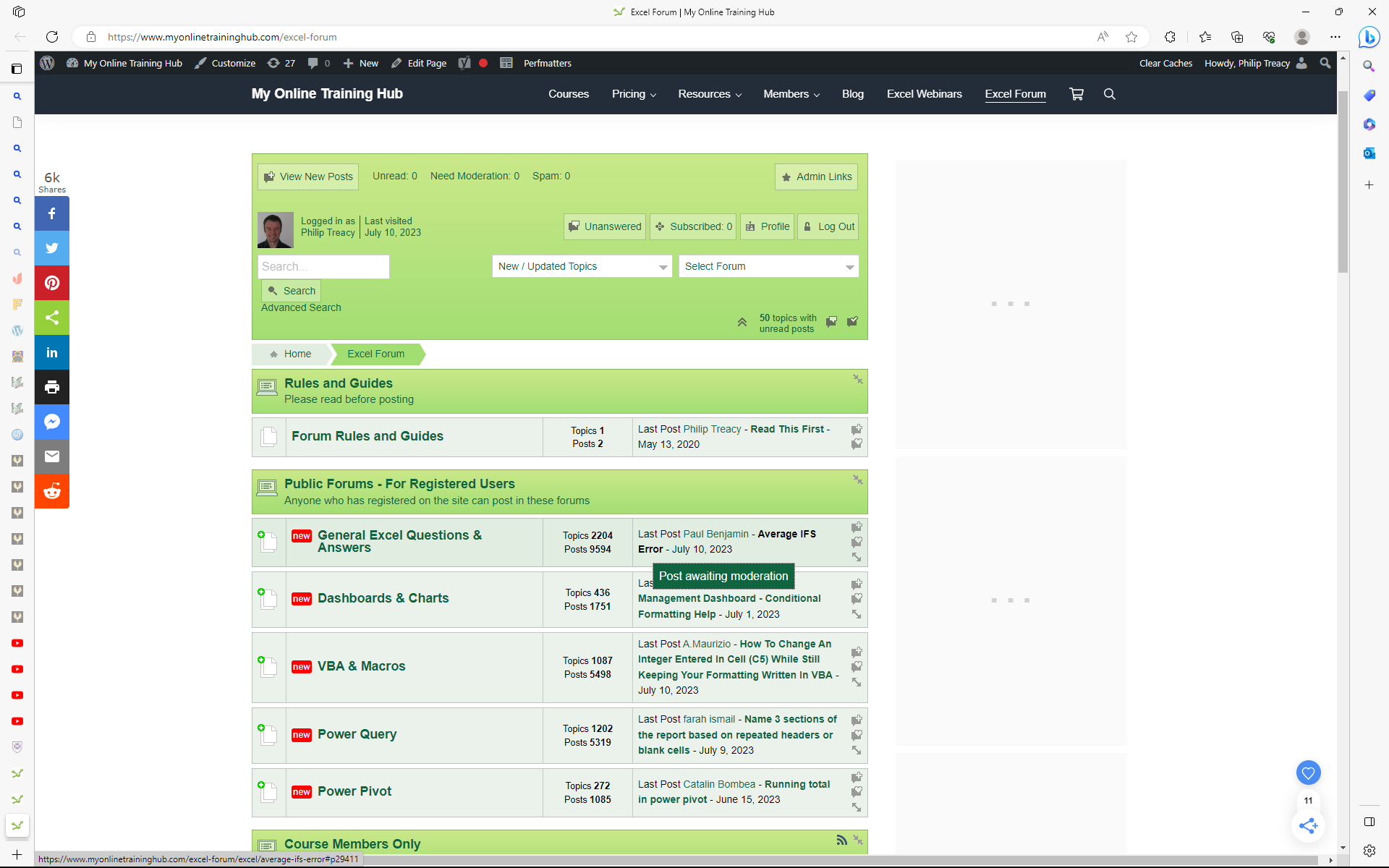
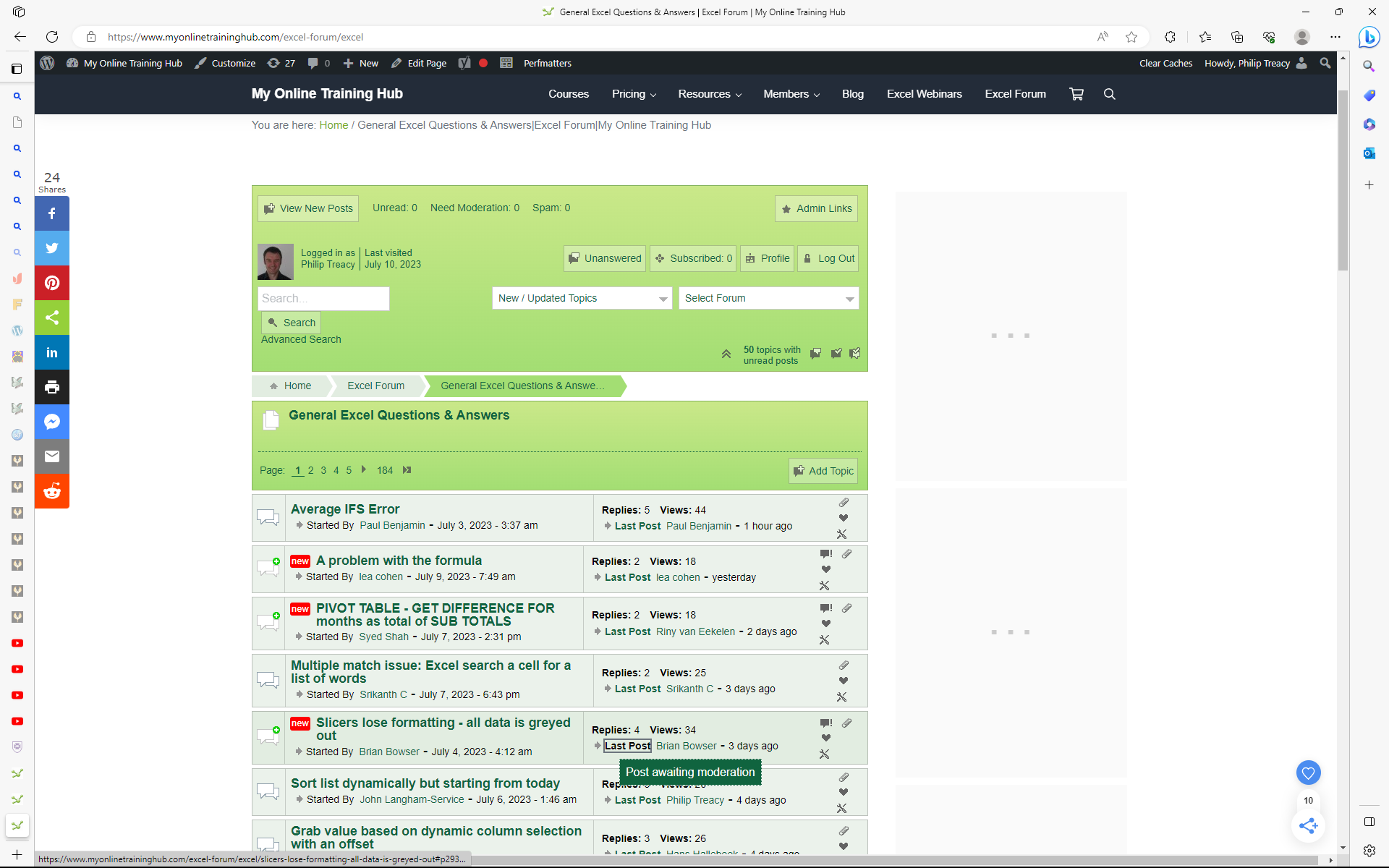
Here are two examples.  You’ll see that the top two posts in the forum require moderation, but don’t show in the Admin Tools as being in moderation.
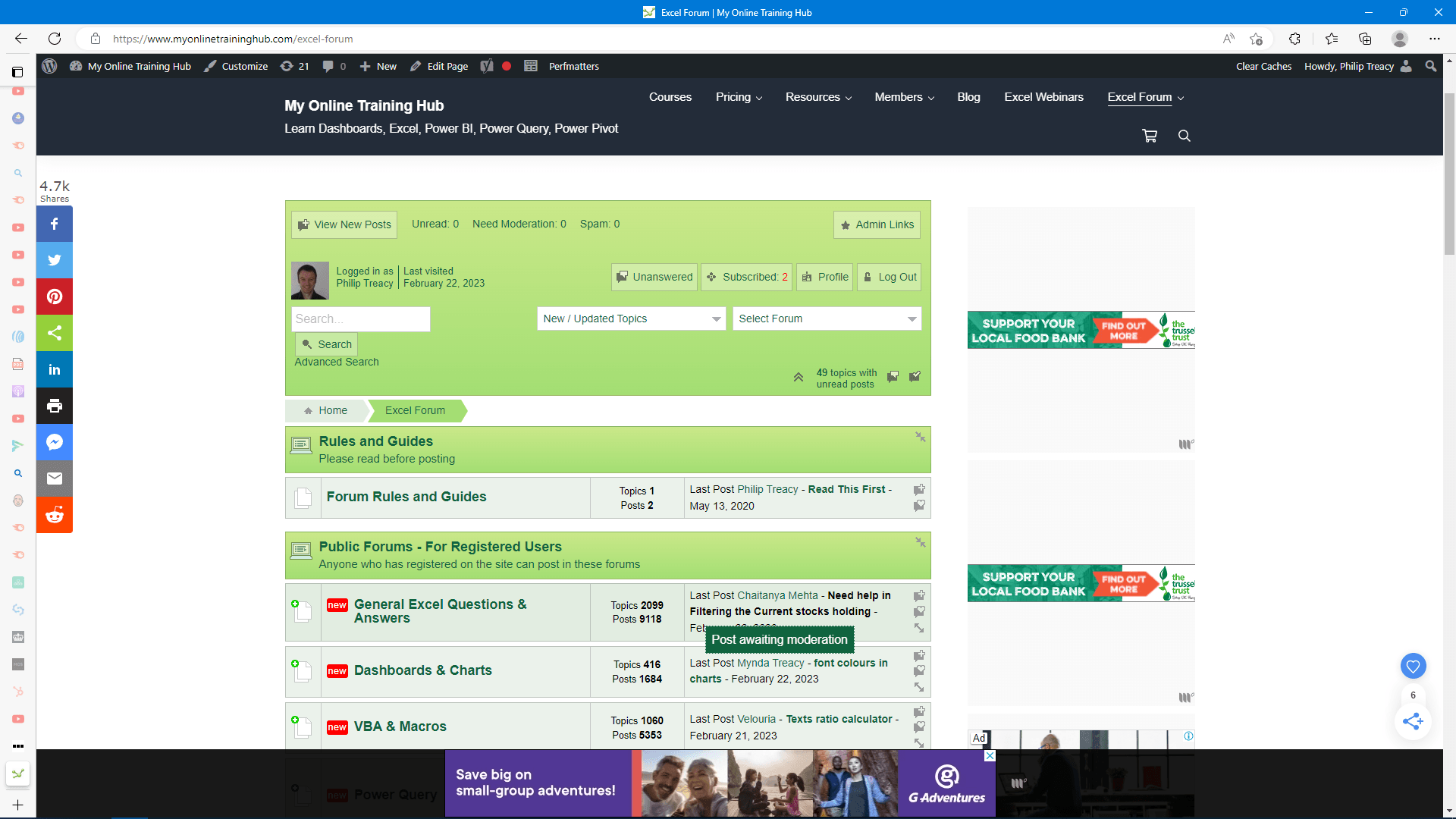
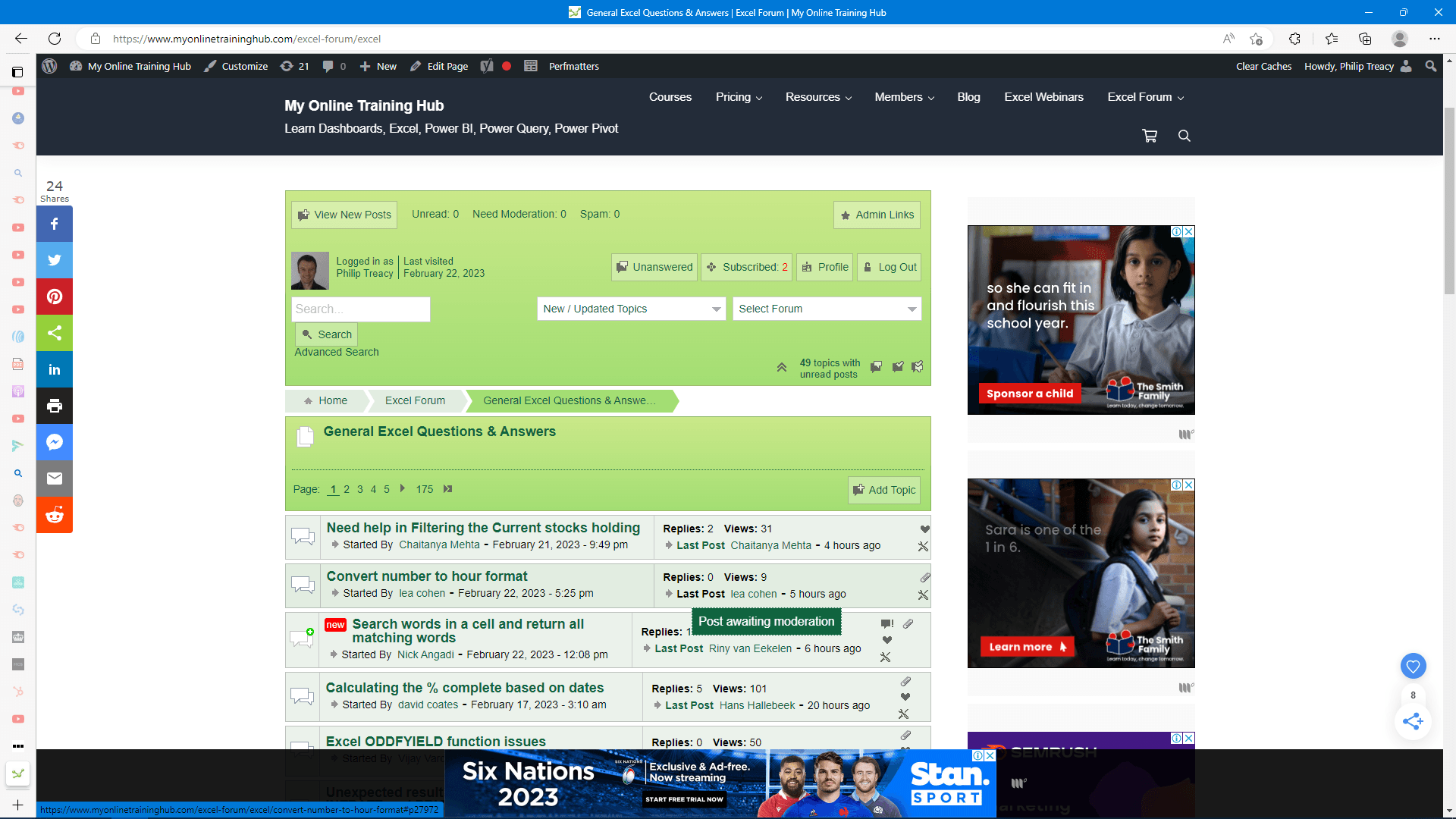
mod


mod2


Regards

Phil

12 Answers

New Answer

JP Joakim (Simple:Press)
Joakim (Simple:Press)
Admin

Hi Philip!

Thanks for reporting. That does not look correct. We are looking into it and will get back to you. Am I correct if I assume this applies to all of your new posts or is it just for some topics or groups?

Joakim @ Simple:Press

PT Philip Treacy
Philip Treacy
Member

Hi Joakim,

It happens with some new posts.  Sme are listed as needing moderation, some are not.  It happens with posts in various different forums.  I don’t see any pattern.

Phil

JP Joakim (Simple:Press)
Joakim (Simple:Press)
Admin

Hi Philip!

Thanks for the clarificatiion. We are looking into the issue and will get back to you as soon as we have and update.

Joakim @ Simple:Press

JP Joakim (Simple:Press)
Joakim (Simple:Press)
Admin

Hi Philip!

We just released a new version of admin-bar, version 2.3.3 that adresses your issues with the moderations.

Could you please do an update and let us know how it works.

Best regards,

Joakim @ Simple:Press

PT Philip Treacy
Philip Treacy
Member

Hi,

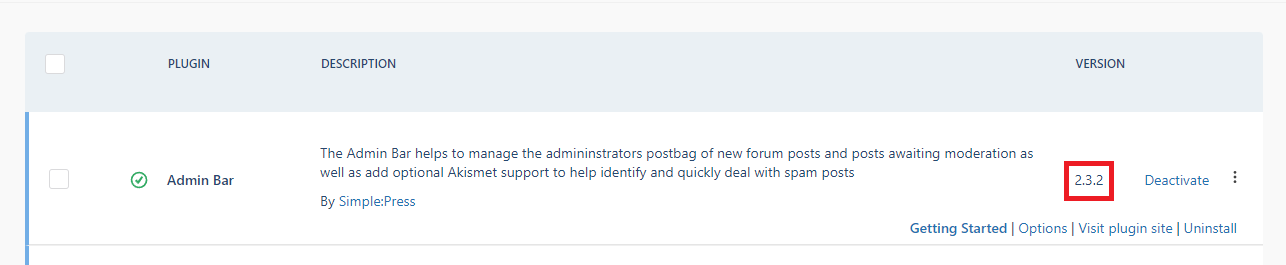
Where do I download this update?  There’s no link in the SP backend to get an update.

admin bar

I can’t see anywhere in my Account to get plugin updates either.

Regards

Phil

JP Joakim (Simple:Press)
Joakim (Simple:Press)
Admin

Hi!

The update should show in Simple:Press Backend when looking at your installed Simple:Press Addons/Plugins as long as your license is valid.

If not please do a manual check by going to “Forum -> Toolbox -> Licensing” and click “Check For Updates Now”. And the new versions should how up.

Best regards,
Joakim @ Simple:Press

PT Philip Treacy
Philip Treacy
Member

Still not working.

I can’t activate and plugin licenses so I’m not being notified of updates.

Clicking on ‘Check for Updates Now’ gives me a message saying ‘Plugins and themes were checked for updates.  You can now go to the Dashboard -> Updates Page to apply any new updates that might be available.’

Where’s the Dashboard -> Updates Page ?

Nothing is showing as having an update available under Forum -> Plugins (but the licenses aren’t active)

SP is up to date (6.9.1) when I check in WordPress Dashboard -> Plugins.

Can you just send me a link to where I can download the updates?

Phil

JP Joakim (Simple:Press)
Joakim (Simple:Press)
Admin

Hi!

I have sent you an email with the latest version of admin-bar. But before you use it, please test out activating your license once again. We just made some changes to the Gold Bundle that you currently use.

Best regards,
Joakim @ Simple:Press

PT Philip Treacy
Philip Treacy
Member

Hi Joakim,

Thanks for the email.

Licensing is now working and I can update the plugins.  However this issue remains.  Some posts that require moderation are not flagged as such in the Admin Mailbox.

Not sure what else I can do to assist  in fixing this?

Attached are a couple of images showing the issue from a few days ago.

Today I had 3 posts like this.

Regards

Phil


JP Joakim (Simple:Press)
Joakim (Simple:Press)
Admin

Hi!

Have you installed 2.3.3 of admin-bar? That should fix the issue.

Best regards,
Joakim @ Simple:Press

PT Philip Treacy
Philip Treacy
Member

Yes, 2.3.3. is installed but clearly not fixed the issue.

It seems that some posts are flagged as needing moderation, some are not.

Just checked this morning and found 2 more that were in moderation but not flagged as such.

MP Marcus (Simple:Press)
Marcus (Simple:Press)
Admin

Hi,

We will take another look at the issue and try to figure out what goes wrong.

Best regards,
Marcus @ Simple:Press