Appreciate your further advice here – will give it a go and come back to this thread!
Support Forum
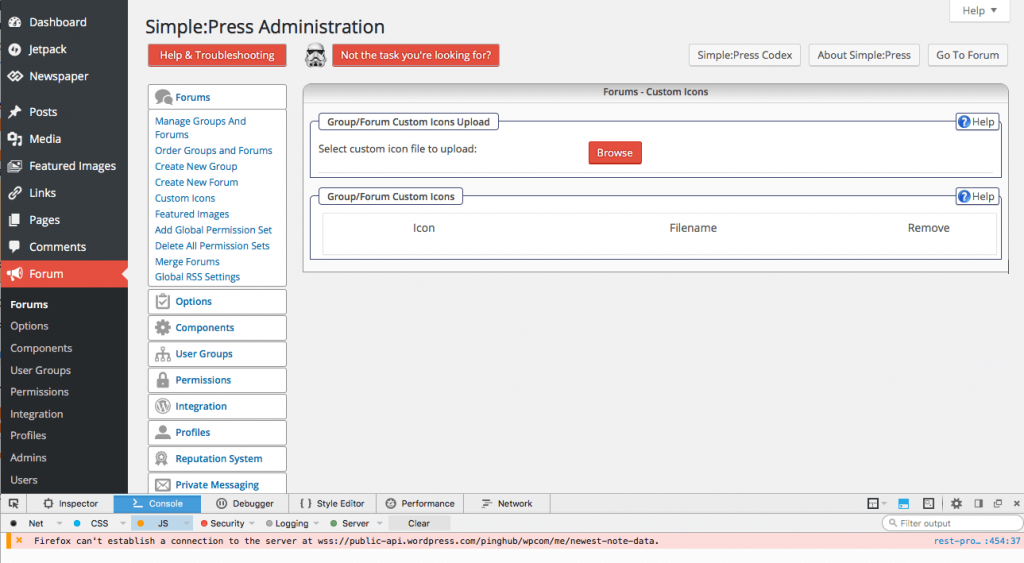
See Screenshot. Clicked on BROWSE and only reaction was entry at bottom of Console Page.
So that seems to be calling the WP REST API (which isn’t even part of core WP yet!). Do you know what is making that call? And why it is failing?
Actually some of the Rest api is in core just not endpoints. Hard to see on phone but what is calling it? Theme or plugin? Or just a load in head tags? Either way should not fail.
As I’ve got zero development skills, not sure I understand your response fully. Any suggestions?
When the browser button is pressed it brings up the error that it failed to connect to ‘wss://public-api.wordpress.com/pinghub/wp.com/me/newest-note-data’ which is a web-sockets call. I can’t make out the calling script bit it starts with the name ‘rest-pro’….
Copied the entire entry here:
Firefox can’t establish a connection to the server at wss://public-api.wordpress.com/pinghub/wpcom/me/newest-note-data. rest-proxy:454:37
I did a quick Google search on the error and the couple of pages I checked all related to Jetpack.. If you’re running it could you try disabling it to see if things return to normal?
Do you know which plugin you have that is making that call? And – if so – if you deactivate it do things start to work as normal?
Sorry Ike – we crossed paths again. JetPack sounds about right. And what a pain that plugin always is. Yes -can you try this please?
Yes: We use Cachify: – https://wordpress.org/plugins/cachify/ and Clouflare CDN.
I’m not familiar with Cachify and haven’t heard of it before, after a quick search I don’t think we’ve seen it before here either. Still, it’s important to make sure if you are caching your site that the page the forum is on is completely excluded from being cached and any temporary files cleared – The forum displays dynamically on one page and caching it will cause problems.
I didn’t jump to the caching conclusion straight away as I thought caching only affected the front end, so it might be worth disabling Cachify to see if it fixes the problem – I don’t think I’ve heard of a caching plugin causing problems in the forum admin although I could be mistaken and may have missed it in the past.
For Cloudflare, you may also have to make a page rule to exclude RocketLoader on the forum page, although that’s not something I’ve had any experience with, just feedback from someone who does use it in conjunction with SP, although we have lots of users who use both.
Unfortunately if none of the above fixes, the best bet would be to disable all plugins except SP to see if the admin then functions properly. If it does, re-enable them one by one until you find the cause. Lengthy, but definitely the next step.

Appreciate your advice here. We’ll try everything you’ve mentioned during off-peak hours tonight and report back – thanks again!