Support Forum

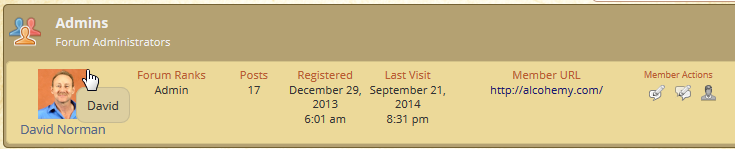
Login Name is seen when hover over Display Name or avatar

DN David Norman
David Norman
Member

Hi guys,

Thanks for your previous forum help and I have another concern I hope you can help me with. It was actually raised by a member of my private membership site and I do agree with them.

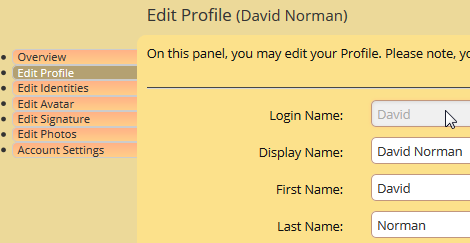
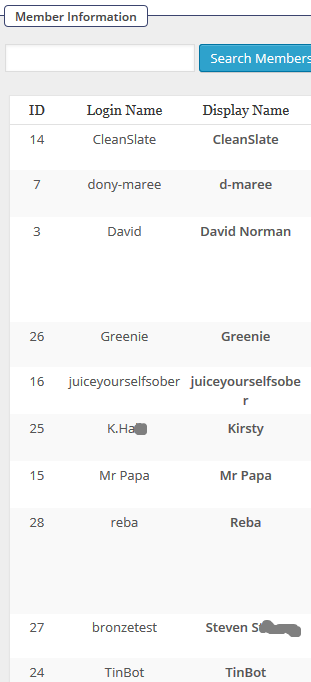
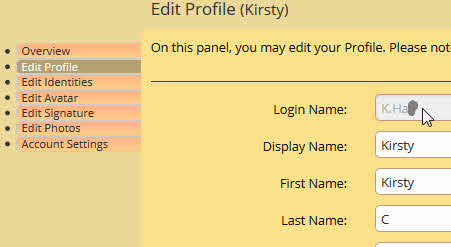
When a member joins and unwittingly chooses a WP ‘Login Name’ that is more personally revealing than it should be, it is displayed in the ‘tippy’ popup box when any other member hovers the mouse over their forum Display Name or their avatar. I believe this negates the reason for choosing a more anonymous ‘Display Name’ in the forum Profile area. Wouldn’t it be better if the popup pulled the text to display from the forum Display Name field? My private membership site helps people with alcohol dependence and most are very particular about remaining anonymous to other members and (as part of my promotion) they have been told they can select their own private Display Name in the forum to remain anonymous.

I have attached some screen captures to show you what I mean.

The only reference I can find to this in your forum is here though it doesn’t explain how it is possible to change what shows in the popup. https://simple-press.com/support-forum/sp5-general-topics/user-login-names-can-be-seen/#p125029

I hope you can assist me in making sure the Display Names are only seen instead of the actual Login Names.

Thanks in advance,
David
Login-Name-1.jpg

 Login-Name-2.jpg

 Login-Name-3.jpg

25 Answers

New Answer

MP Mr Papa
Mr Papa
Member

frankly, not sure what you are doing to make that happen… Normally, and by default, we would show the word Profile there…

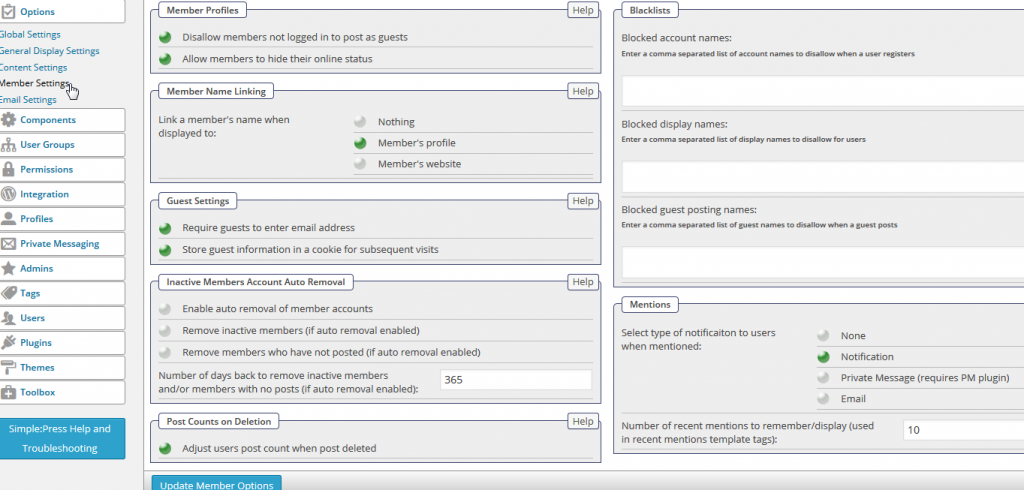
what are your settings for name linking on forum – options – members settings?

DN David Norman
David Norman
Member

Thanks for very quick reply.

It is set to ‘Member’s Profile’, because I though that would just let other members go to see what this particular member ‘allowed’ them to view in their profile (including some custom fields I have created).

Should I change it to ‘Nothing’?

MP Mr Papa
Mr Papa
Member

having it set to profile should display the words profile… check it here…

I am unable to make the username show up at all under any situation in some quick testing…  wonder if another wp plugin or theme at work?

which sp theme are you using?  looks like default (or variation) but want to be sure…

also on forum – profile – options what is the display name format set to?

DN David Norman
David Norman
Member

Thanks.

I can’t see the link to the example you indicated above, though I see what you mean by hovering over your avatar.

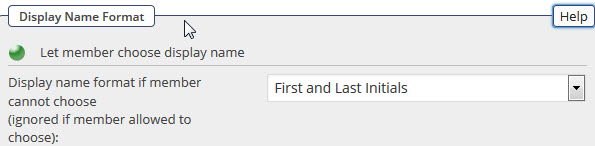
My default profile option is set to ‘First & Last Intials’ (I had checked that as part of my initial investigation).

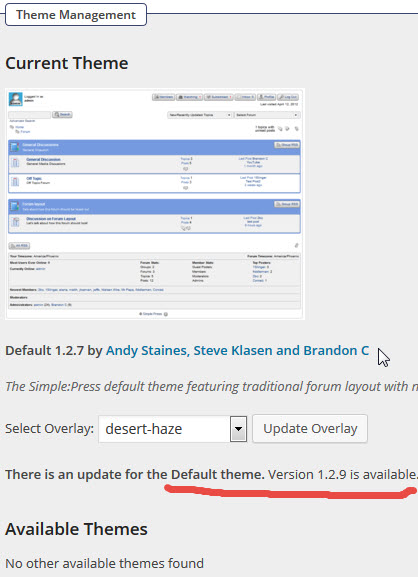
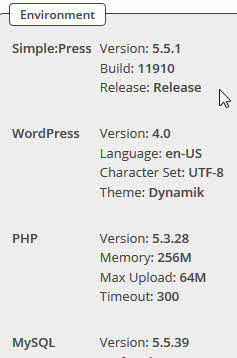
Theme and SP version captures attached.

SP-Theme-1.jpg


 SP-Ver.jpg

MP Mr Papa
Mr Papa
Member

as you have underlined, you are running an old theme version..  always best to stay updated…  but we havent changed anything here so not likely to help…

and again, not sure how its coming out as described – cant duplicate it or even find where we might do that… could be missing something hence my continued testing, but a bit stumped…

are you letting users choose their own name on forum – options – member settings?  its possible they had already set it to login… and you cannot force it differently if you let them choose…

my link to example?  didnt give you a link.. asked you to check here, meaning this site…

do you have a link to your site?

DN David Norman
David Norman
Member

Thanks.

Yes you have accessed my site before (you are still registered as a user). http://alcohemy.com/

I can PM you the Username & PW if you like?

Re: are you letting users choose their own name on forum – options – member settings? I can’t see that setting in that area (see capture). Are you refering to the setting in the Display Name Format area? (see capture).

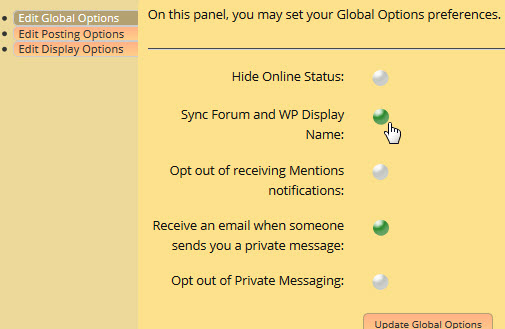
I have also included capture of Forum Global Option setting of Syncing WP and Forum Display Name.

SP-Member-Display.jpg

 SPForum-Global.jpg

 SP-Member-Settings.png

MP Mr Papa
Mr Papa
Member

so that was my point…  you are letting members choose their name… so  you are not forcing first and last letters…  that would only be default for new members since that change…

also, sample a couple users… see what their wp display name is set to… it might be forcing the issue too…

still, despite all the above, I dont know how its getting displayed in the popup…

are you using a membership plugin?

DN David Norman
David Norman
Member

Thanks again. Yes, I understand at present all members are free to choose their Display Name and only Initials will apply for new members if I remove that ability. I have always had it set for members to be able to choose their Display Name.

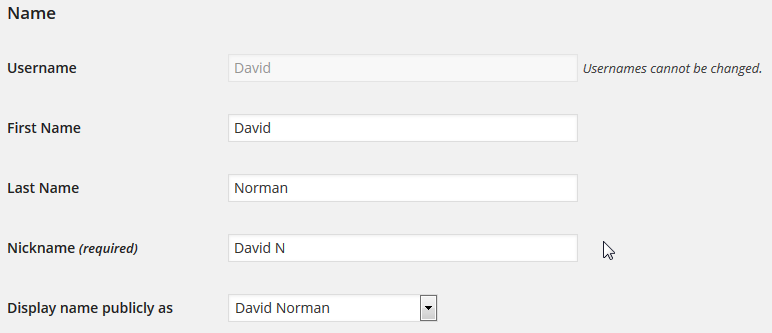
When I hover over all of the current members’ avatars or ‘Display Names’ (that are under their avatars), the popup box shows their WP Username, (though in some cases it has been set to the same name). Their WP ‘Display Name Publicaly’ is the name that shows under their avatar.

My site was set up using WLM.

I used Capabilities Manager Enhanced plugin to create the separate role for SP forum users (as we had discussed in another post regarding that). It has the same setup as normal WP ‘Subscribers’.

SP-Member-Info-for-David.png


 SP-Profile-for-David.png

 WP-Names-for-David.pngSP-Members-example.png

MP Mr Papa
Mr Papa
Member

at this point, I would be curious if it still does it when using the default wp theme and all other plugins temp disabled…

will investigate more tonight after work but thus far, not sure how we would be doing that… still researching…

DN David Norman
David Norman
Member

Hi team (Steve)

Have you had a chance to review this further or are you wanting me to test something my end?

Cheers’
David

MP Mr Papa
Mr Papa
Member

combination really… I am still unable to find any sequence to make this happen…  I work during the week, so time is somewhat limited… and will do more this weekend…

but I also asked about you trying the default wp theme and disabling other plugins and seeing if still occurring…

DN David Norman
David Norman
Member

Ok, I will try that now.

I had been holding off until I heard from you :)

MP Mr Papa
Mr Papa
Member

well, since I cannot recreate, want to rule out (or confirm) something else at play here…

DN David Norman
David Norman
Member

1. I switched to WP 2014 Theme and the Login Name was still in the hover pop-up boxes.

2. I switched back to the usual Dynamic Theme and then disabled all the plugins except for Simple:Press. Still had same Login Name pop-up issue.

3. Then disabled all SP Plugins as well and still had same issue.

4. Reactivated all SP and WP plugins and issue persists.

Not sure what to do next?