Support Forum

Admin Queue No Longer Working for Replies

JI jim
jim
Member

@Joakim Congrats on taking on Simple:Press and thank you for the continued support!

This issue probably first started occurring a few versions back now, but it has taken some time to identify a pattern and determine what’s actually happening…I’ll try to explain clearly, see screenshots below for reference.

The Admin Queue always used to identify first posts awaiting moderation, whether the post started a new topic, or if it was in reply to an existing topic. The Queue does still identify new posts awaiting moderation IF the member starts a new topic. A few months ago, however,we started noticing this odd behavior.

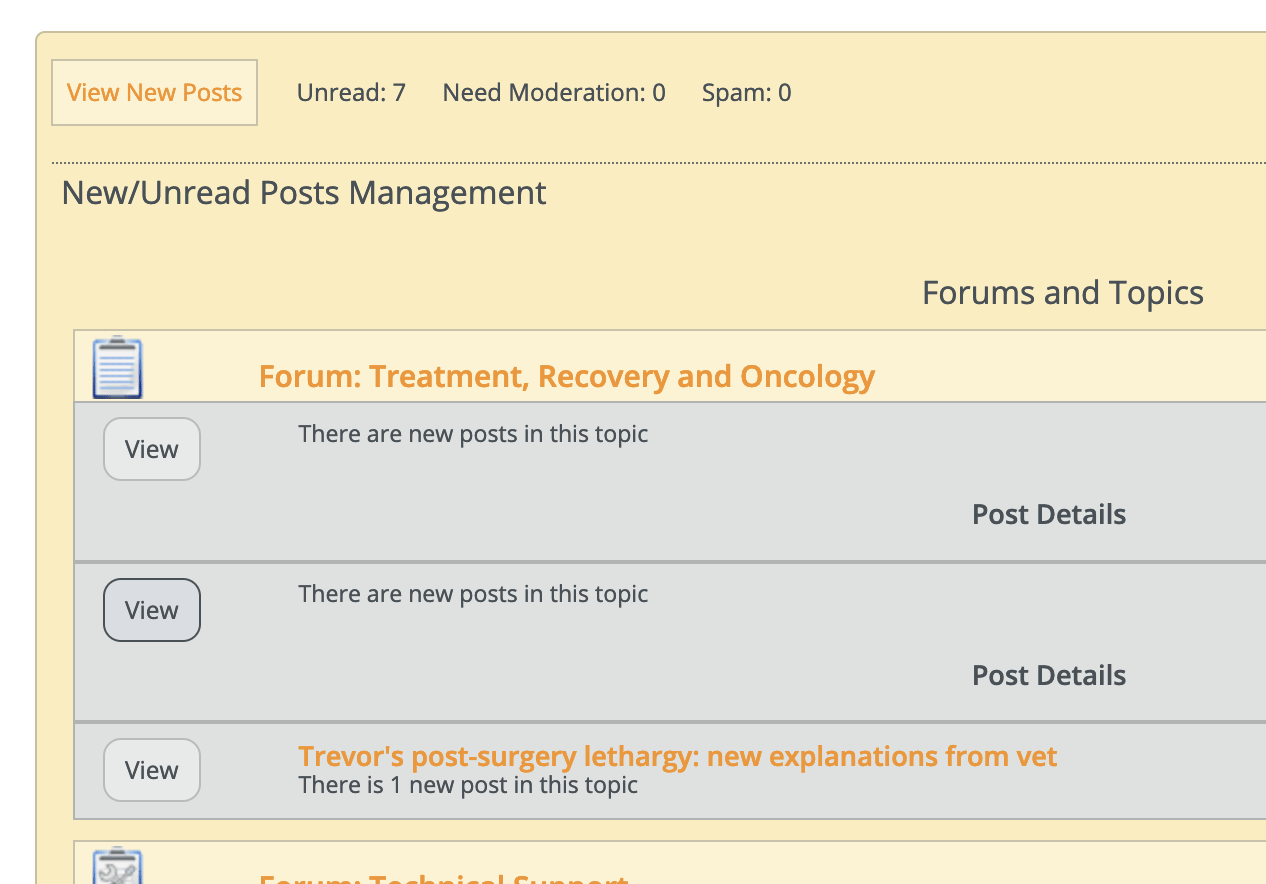
If the first post from a new member is a reply to an existing topic, the reply no longer appears in the Queue as flagged for moderation. Instead, a notice appears in the Queue with “There are new posts in this topic” with the only option to View the topic.

New Reply Awaiting Moderation: 
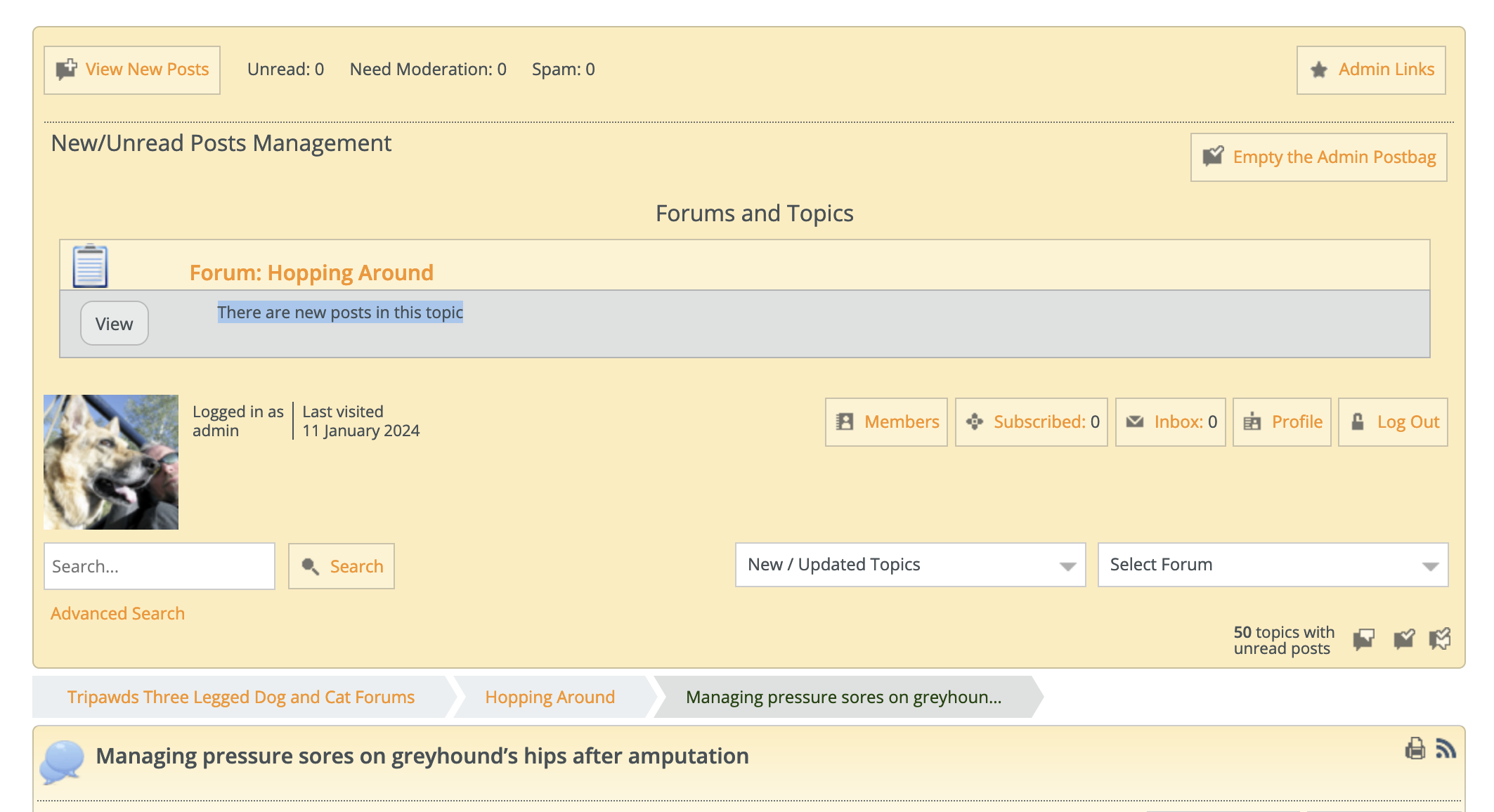
Viewing the topic, reveals that the post awaiting moderation is actually a reply to the existing topic. However, there is no way to moderate and approve this member’s first post from the Admin Queue.

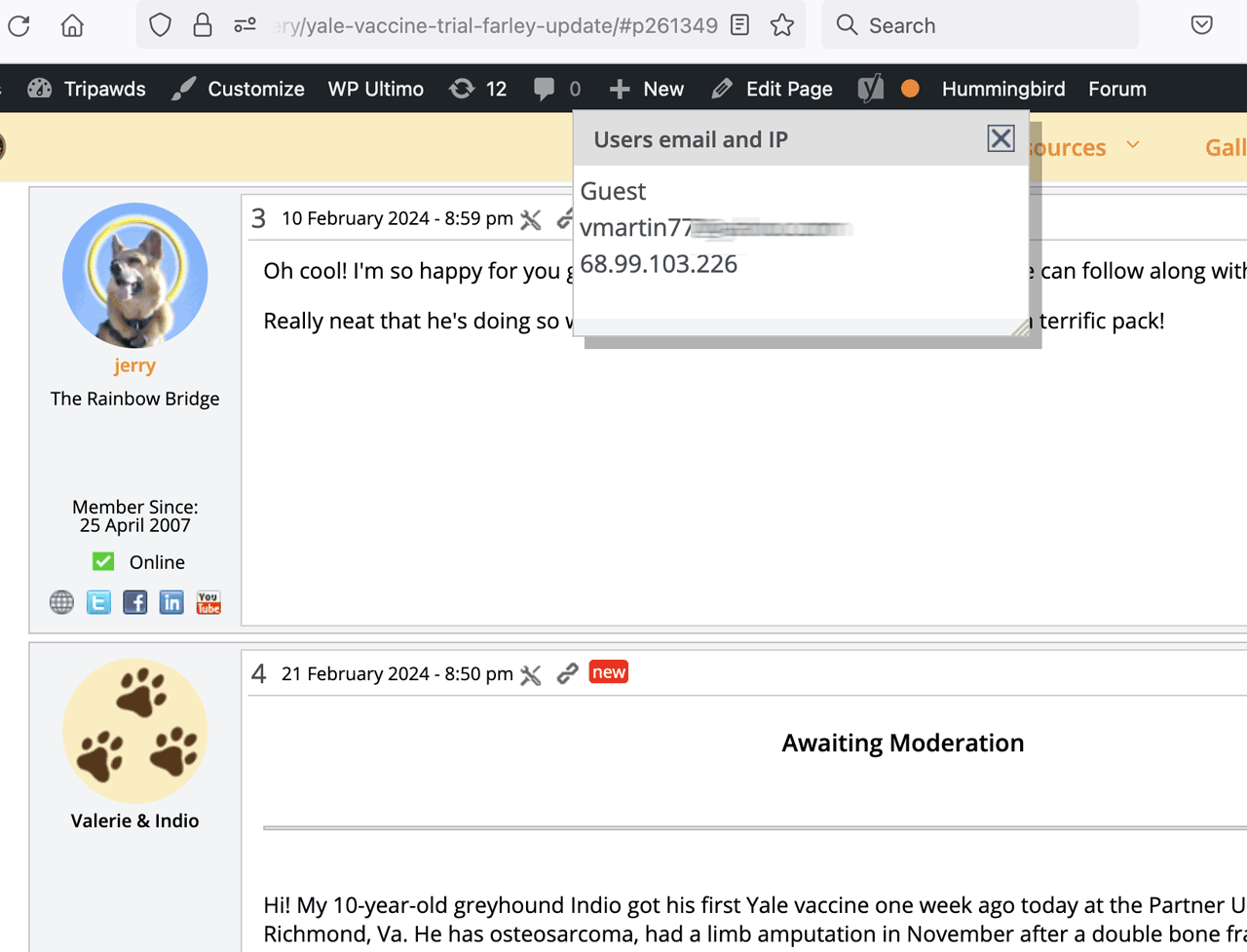
Reply Awaiting Moderation:
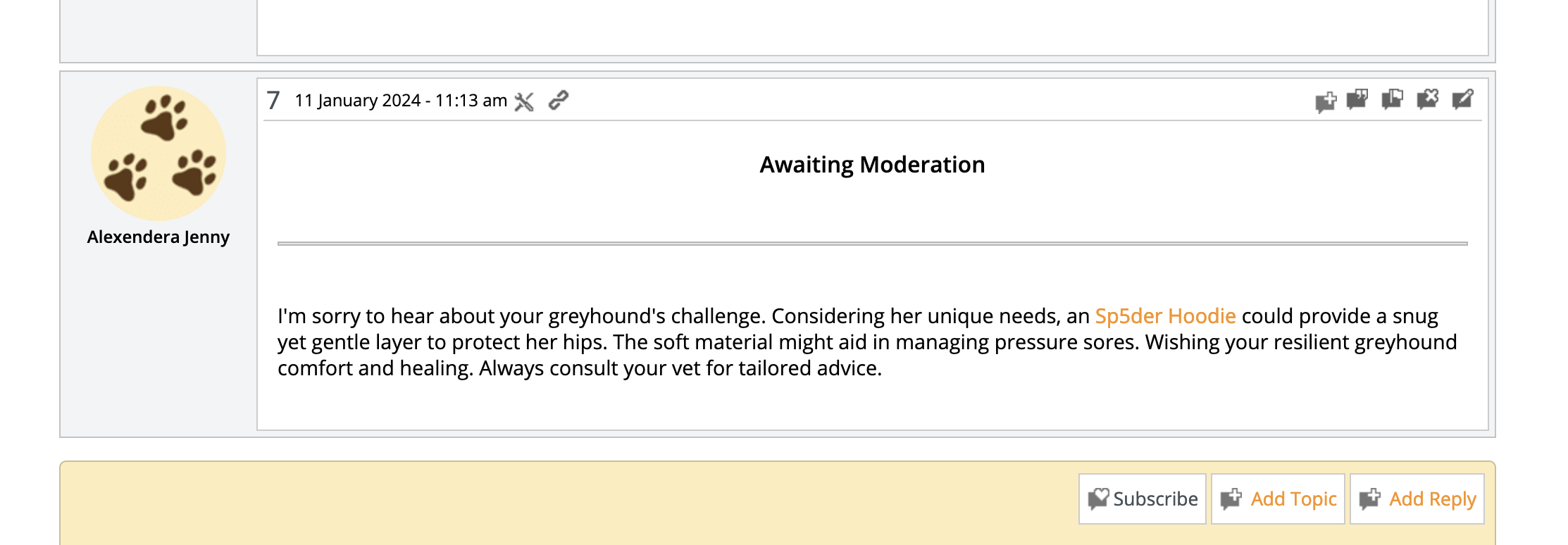
So, if a new member’s first post is a reply to an existing topic, it does not appear in the Admin Queue and it must be manually approved.

I don’t notice any new settings related to this, and hope it can get resolved in a future release so the Admin Queue will work like it used to.

Thank you!

SimplePress
Version: 6.10.7
Build: 15897

Admin Bar Version: 2.3.3

Theme: Reboot 2.3.0 (Child Theme)

20 Answers

New Answer

JP Joakim (Simple:Press)
Joakim (Simple:Press)
Admin

Hi Jim!

Thanks, great to hear that we have your continued support!

Wow, your detailed description of the issue make things much easier to debug. We will have a look at it and get back to you as soon as possible. I have an idea based on your thorough investigations what the issue might be.

By the way, what PHP version and WordPress version are you on?

Best regards,
Joakim @ Simple:Press

JI jim
jim
Member

Joakim (Simple:Press) said
what PHP version and WordPress version are you on?

PHP 7.4

WP 6.4.2

JP Joakim (Simple:Press)
Joakim (Simple:Press)
Admin

Hi Jim.

Thanks for the update. We will get back to you when we have a new release available for the plugin.

Btw, you should really think about upgrading your PHP since 7.4 was end of life quite a while ago. This has nothing to do with the issue, but just a friendly reminder.

Best regards,
Joakim @ Simple:Press

JI jim
jim
Member

Joakim (Simple:Press) said
you should really think about upgrading your PHP since 7.4…
This has nothing to do with the issue, but just a friendly reminder.

Yup, been trying to nail down some mysterious incompatibility…

Sounds like you’ve identified and addressed the admin queue issue, thanks for the update!

JP Joakim (Simple:Press)
Joakim (Simple:Press)
Admin

Hi Jim!

We just released a new version of admin-bar that addresses the issues you described. Could you please install it and verify on your end?

Best regards,
Joakim @ Simple:Press

JI jim
jim
Member

Joakim (Simple:Press) said

We just released a new version of admin-bar that addresses the issues you described..

Thanks! Just installed the update with no issues so far. Will report back if we encounter the behavior again.

JP Joakim (Simple:Press)
Joakim (Simple:Press)
Admin

jim said
Thanks! Just installed the update with no issues so far. Will report back if we encounter the behavior again.

That sounds great, thanks!

Best regards,
Joakim @ Simple:Press

JI jim
jim
Member

Dang, guess my post didn’t save…let’s try this again.

Sadly, this issue persists. New replies from guests to existing topics still don’t appear in the Admin Queue. The View button appears under the topic, with the note “There are new posts in this topic” but there are no post details. Our moderators call these Ghost Posts.

With no links to view or moderate the pending posts, it’s difficult to find these ghosts. We must manually browse all topics in the forum, then approve the replies at the topic level.

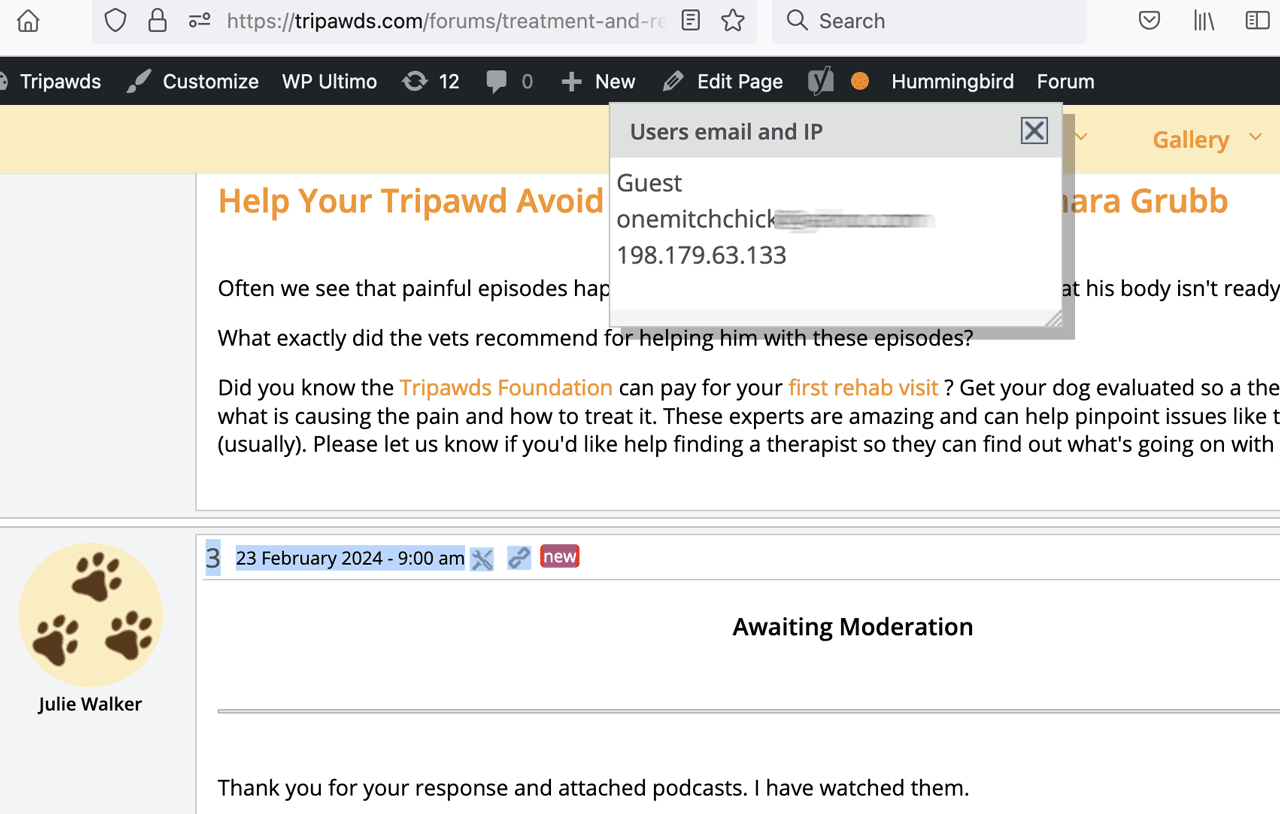
Example 1: Reply to existing topic from Guest.

This user is a guest, replying to existing topic.

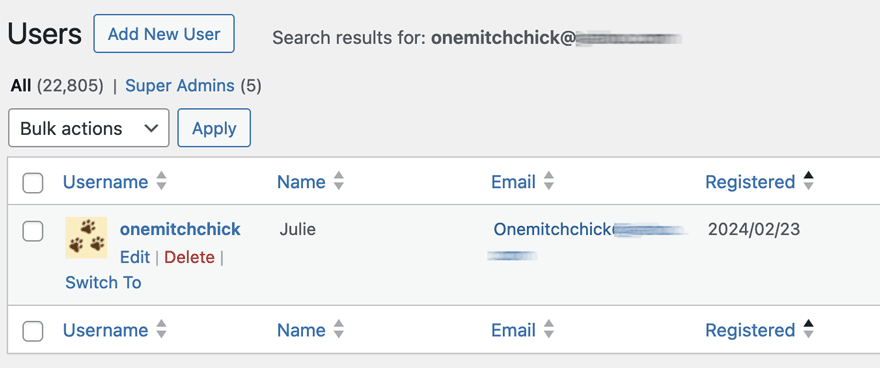
Example 2: Reply to existing topic from member, not logged in.

This user is a registered member, likely not logged in when posting.

So, all these new posts awaiting moderation are replies to existing topics. They Admin Queue apparently knows they are there, but provides no details nor way to moderate them.

All new topic posts appear correctly in the queue as expected, and the moderation functions for those work properly. Something, however, is still going on if the new posts are replies and not a new topic.

Any help is greatly appreciated. Thanks!

JP Joakim (Simple:Press)
Joakim (Simple:Press)
Admin

Hi Jim!

Thanks once again for your detailed posts, they are extremely helpful in our troubleshooting. We will have a look at it and do another try on resolving your issue.

Thanks for your patience.

Best regards,
Joakim @ Simple:Press

JP Joakim (Simple:Press)
Joakim (Simple:Press)
Admin

Hi Jim!

We just released a new version of AdminBar. Please install and try. This fix is addressing the guest post issues.

And as usual, let us know if you encounter any issues.

Best regards,
Joakim @ Simple:Press

JI jim
jim
Member

Joakim (Simple:Press) said

We just released a new version of AdminBar. Please install and try. This fix is addressing the guest post issues. 

Thanks! I’ve installed the update and will need to wait for another ghost post, or attempt to replicate that again soon…

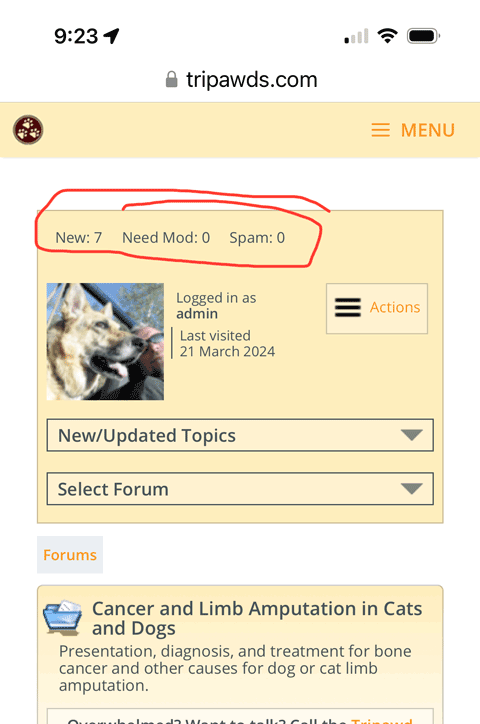
FYI: We noticed last week that the Admin Queue had stopped working on Mobile. There are no longer any buttons or links to open the postbag on an iPhone. Tapping “New” does nothing. Are there any recent template changes required? This issue coincided with the last update, and nothing else has changed with our forums…

mobile admin q
JP Joakim (Simple:Press)
Joakim (Simple:Press)
Admin

Hi Jim!

Great, let us know how it works when you get a new ghost post!

We will have a look at the mobile version. There has been no template changes. But we have done some minor changes in AdminBar but that should only affect the other issues you and I have been working with.

What happens when you click?

Best regards,
Joakim @ Simple:Press
Timezone: CET

JI jim
jim
Member

Joakim (Simple:Press) said
What happens when you click?

Tapping everywhere around the area circled in red above does absolutely nothing on mobile.

JP Joakim (Simple:Press)
Joakim (Simple:Press)
Admin

Hi Jim!

We had a look at the templates and it looks like there never have been an option to open the moderation queue on mobile. The button “View New Posts” only shows on desktop in Reboot. We added the button in the mobile view in the Reboot theme in version 2.3.2.

Please install and let us now how that works for you!

Best regards,
Joakim @ Simple:Press
Timezone: CET